Skip to content

Features

Everything Paymitra does for you

Each screen below is from the Android app, worked out from a sample person's own records. Your numbers stay on your phone.

Screens from the Android app. Sample data.

Capture

Every payment in, with as little typing as possible.

Write it like a text

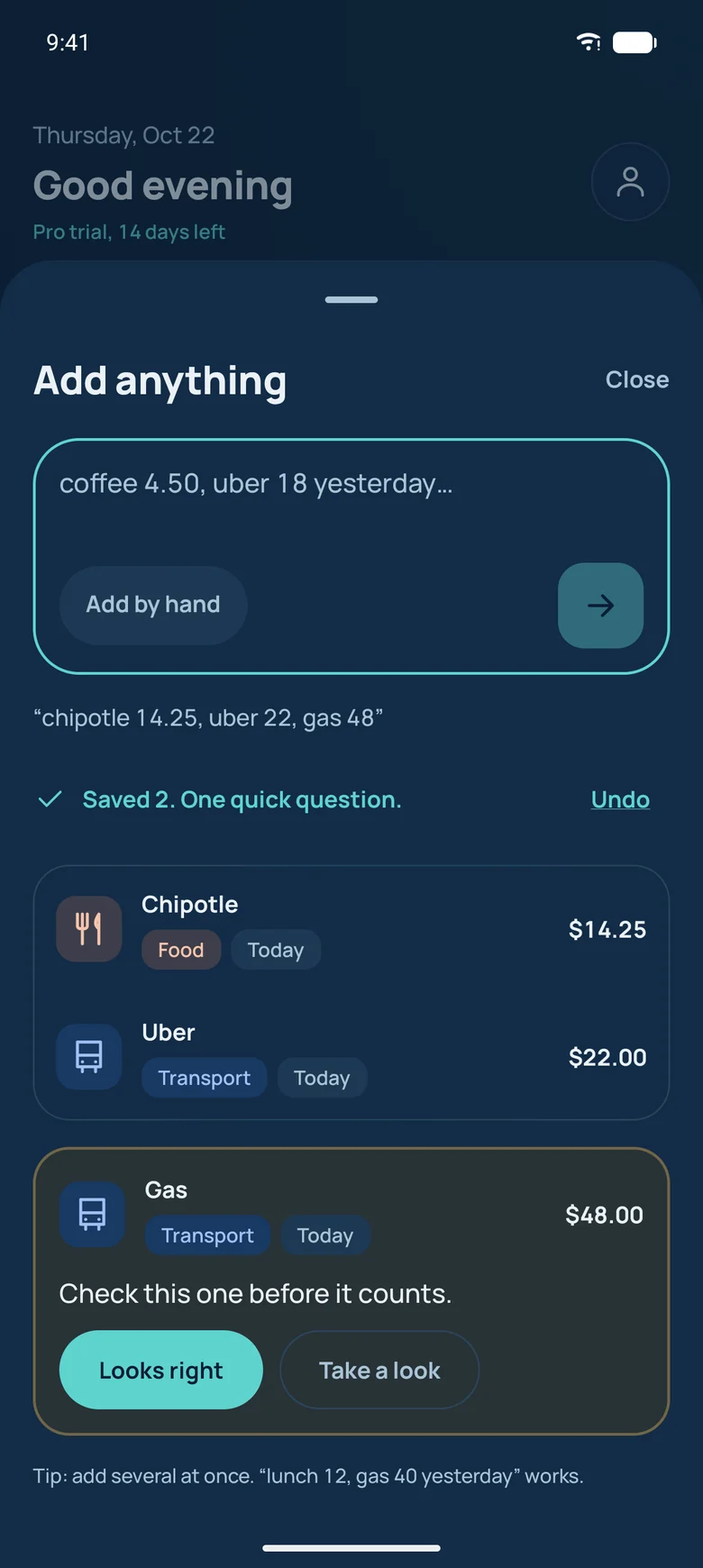
Several payments in one line, typos and shorthand included: chipotle 14.25, uber 22, gas 48. Paymitra saves what it is sure of and asks one short question about anything it is not.

  • Multiple payments at once
  • Understands yesterday, last Friday, the 3rd
  • Undo on every save
Add anything sheet with three payments read from one typed note

Needs a look

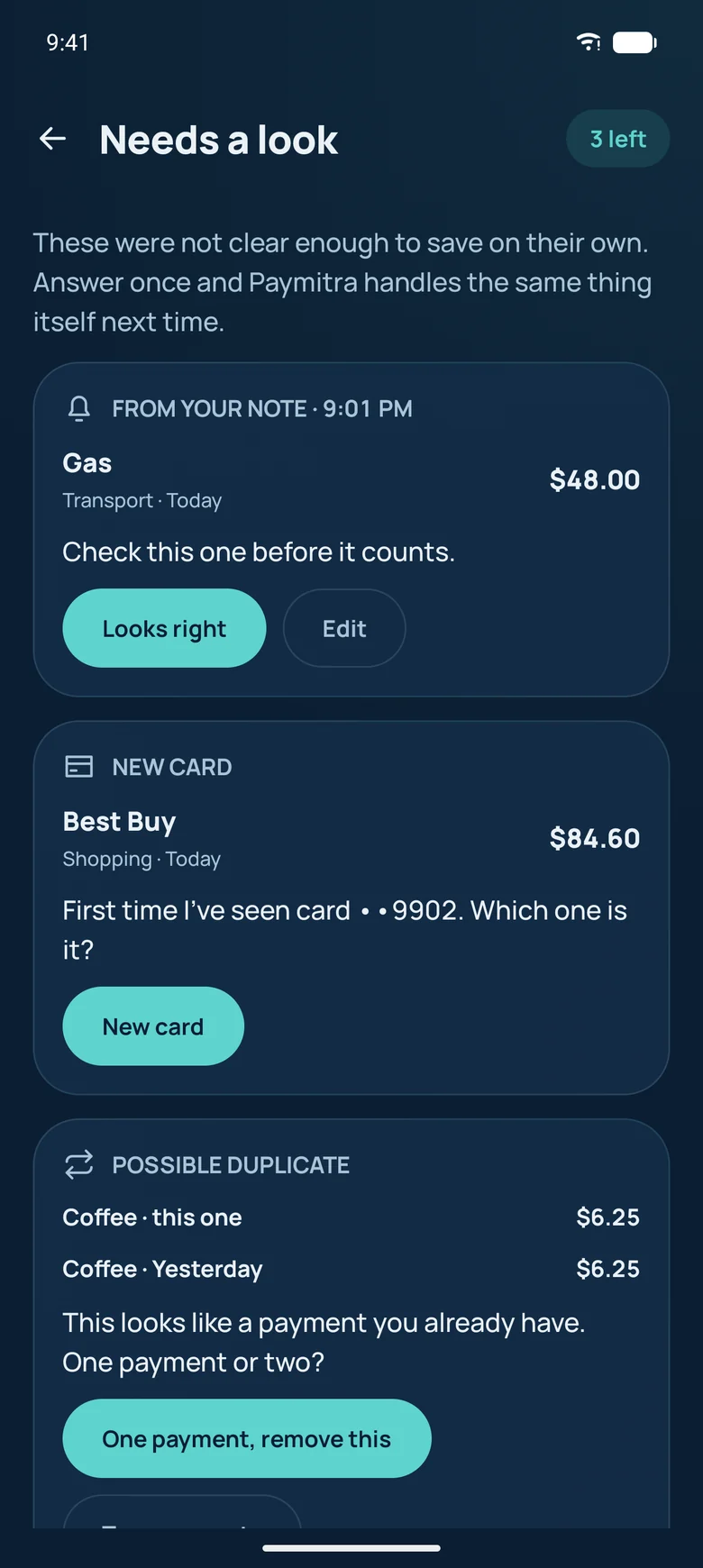
Anything Paymitra is not sure about waits in one short list with a friendly question: a card it has not seen, a possible double charge, a new shop. Answer once and it handles the same thing itself next time.

Needs a look list asking about a new card and a possible duplicate

Find anything

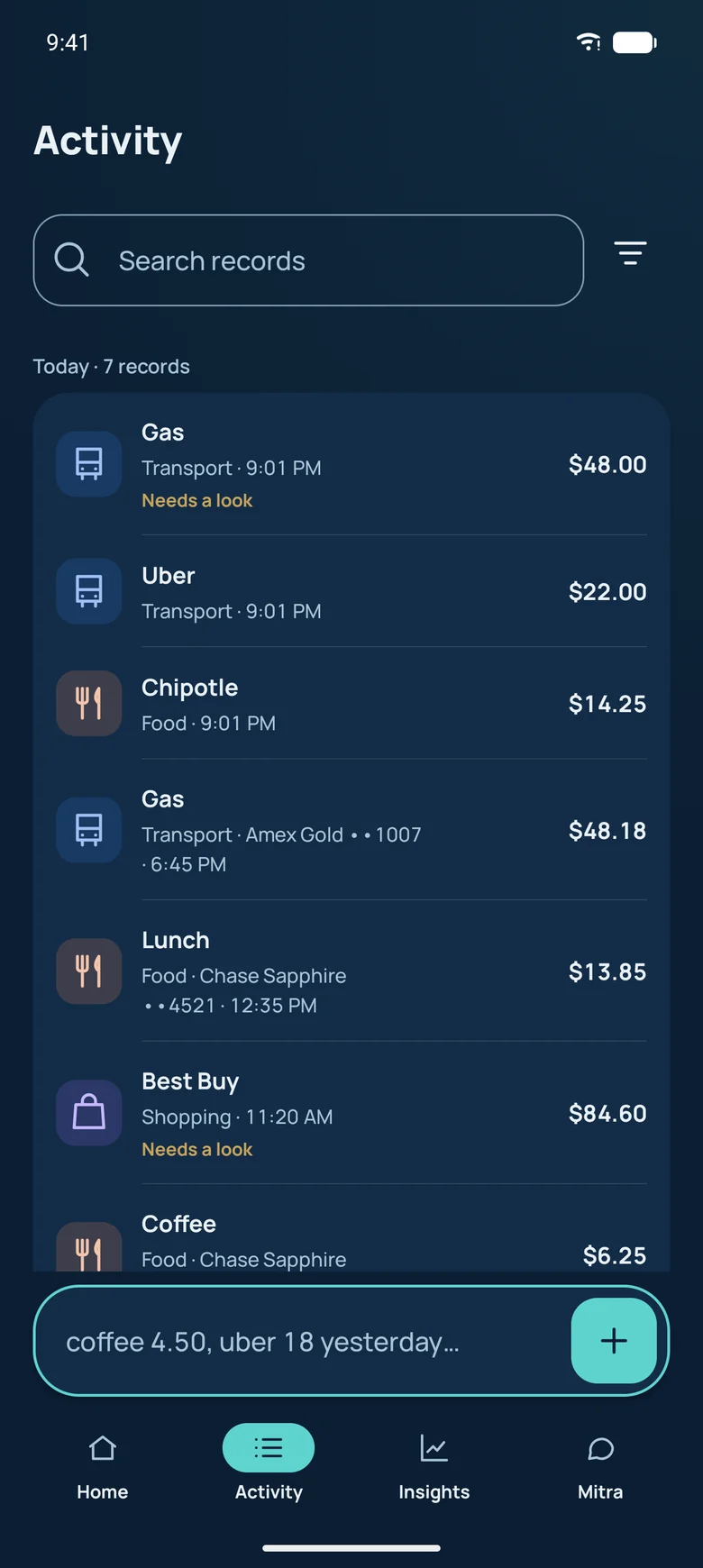
Search by title, note or merchant, filter by date, category, account or type, and edit or delete with a swipe and an undo.

Activity screen with payments grouped by day

Mitra

A companion that knows your numbers and remembers what you tell it.

Ask Mitra anything

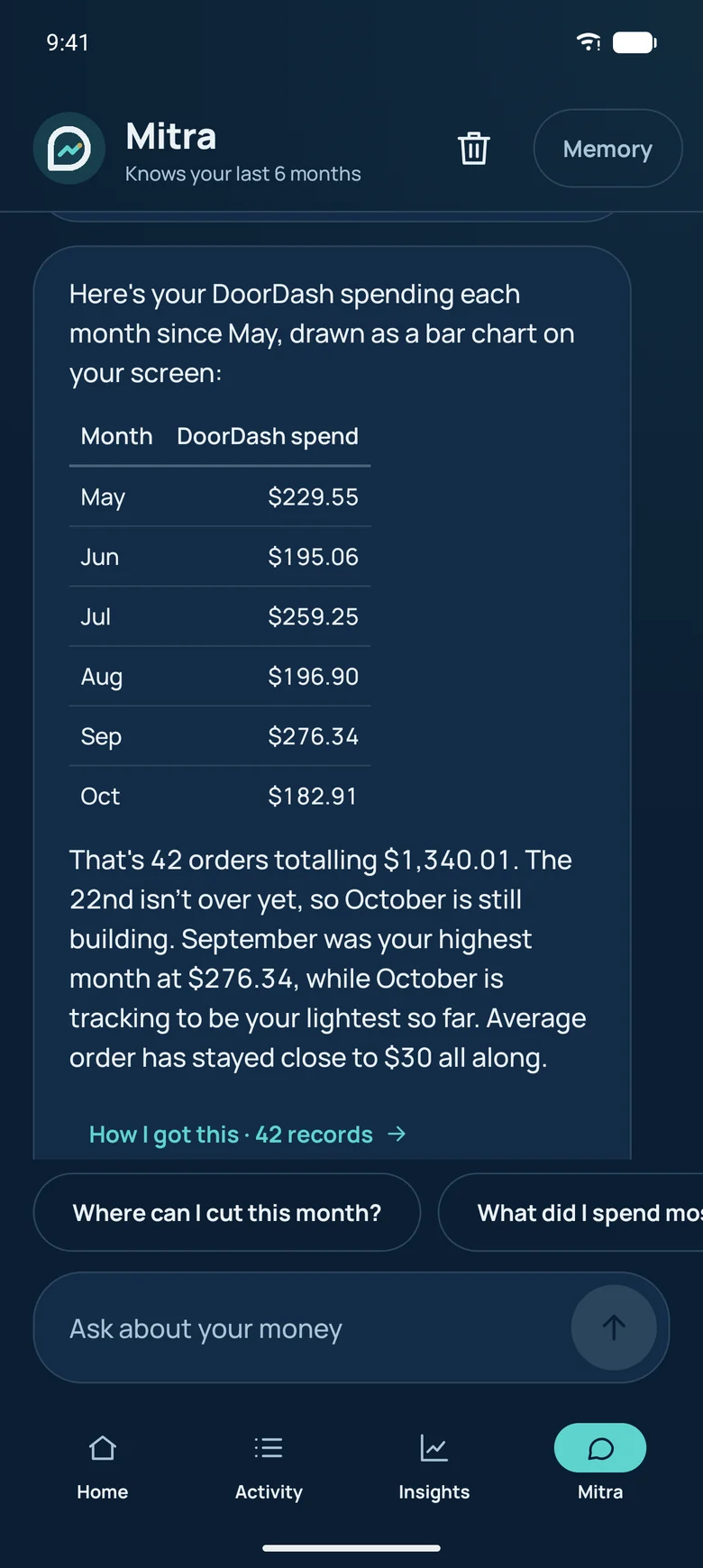
Mitra answers from your own records with exact numbers, tables and charts, and shows the purchases behind every answer. On Pro it can fix categories and set up rules for you, after you confirm.

  • Every figure from your records
  • Charts and tables on request
  • Nothing changes until you say yes
Mitra answering a question about monthly food delivery spending with a table

It learns how you pay

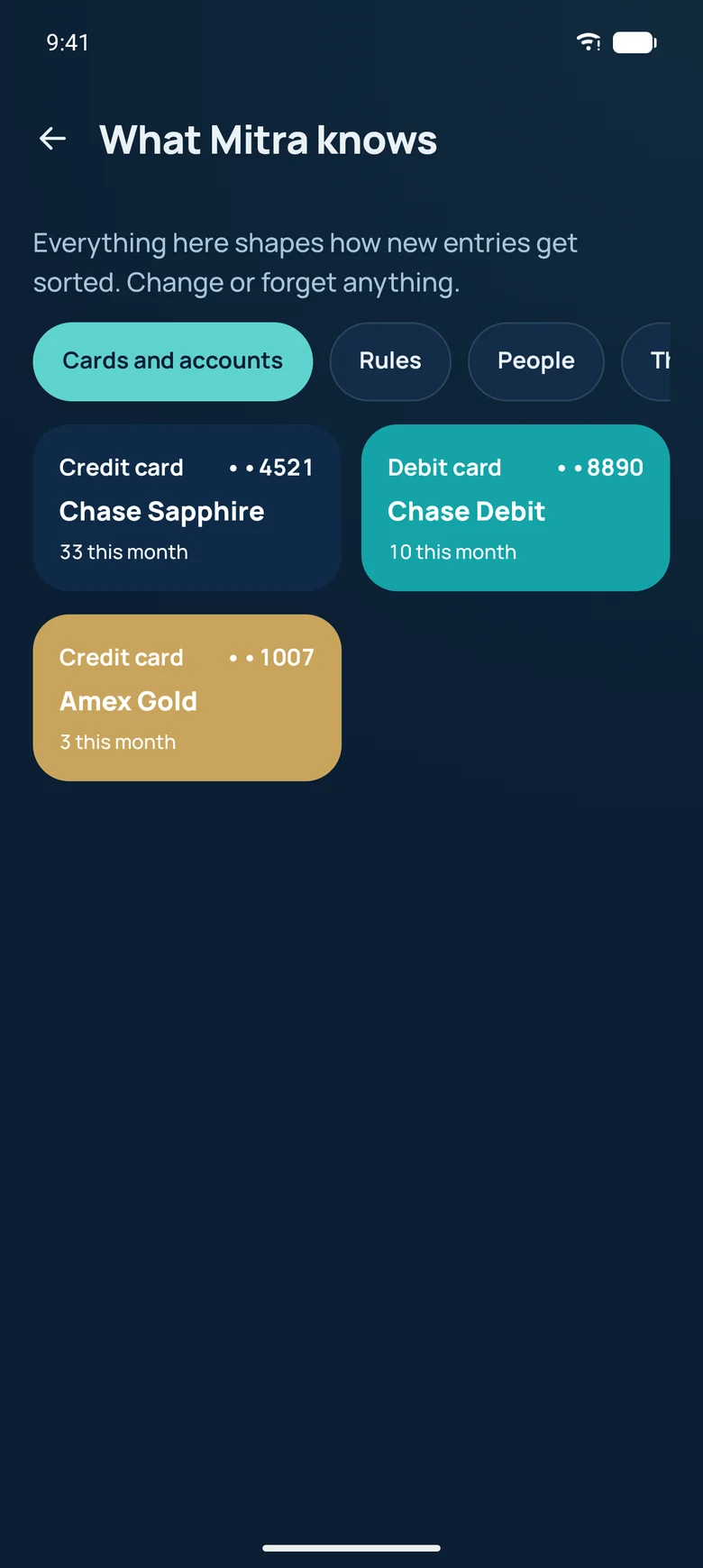
Tell it once that card ending 1007 is your Amex for gas and dinners out, or that Maria cleans every other week. It remembers, links future payments, and shows you everything it knows. Change or forget anything.

What Mitra knows screen with the cards and accounts it has learned

Insights and reports

Where your money goes, and what is worth changing.

Reports that drill all the way down

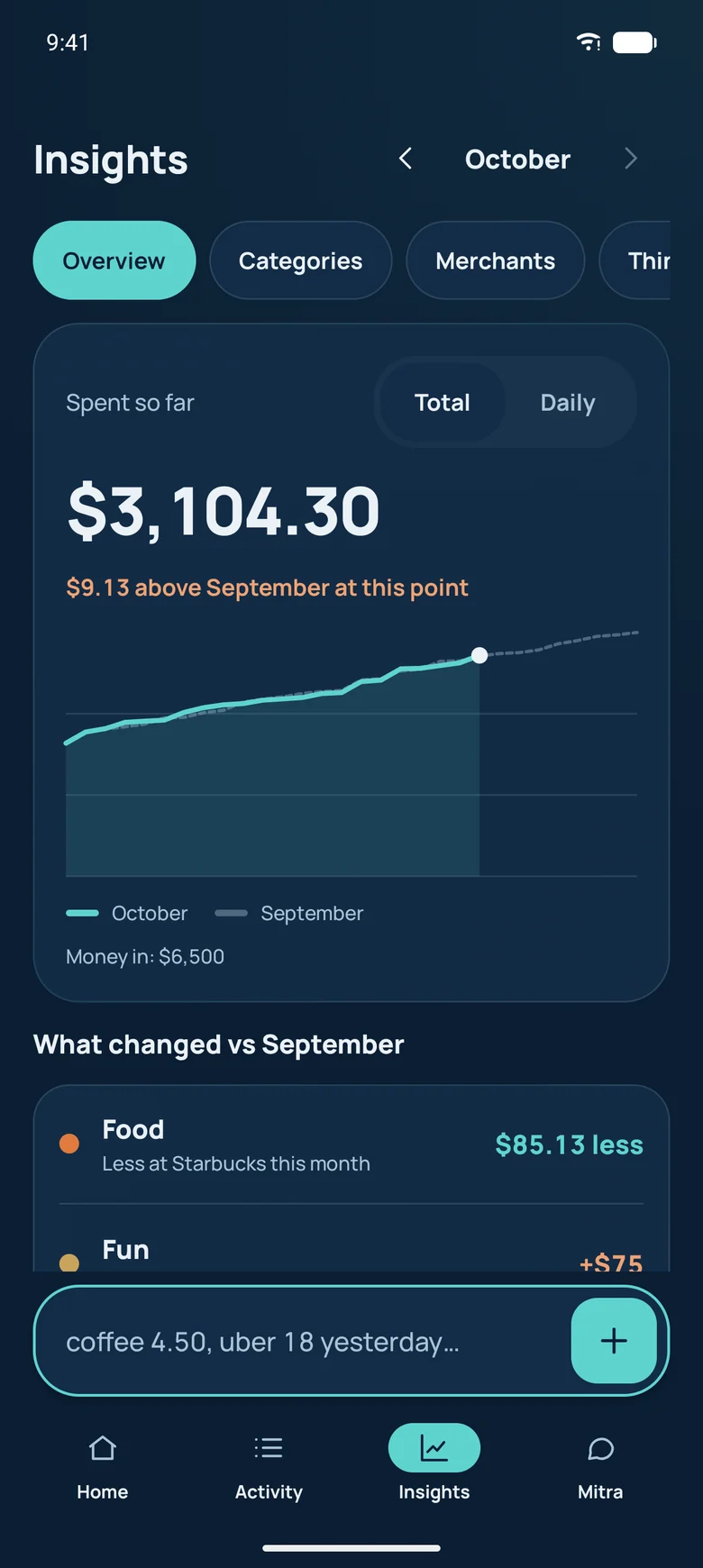
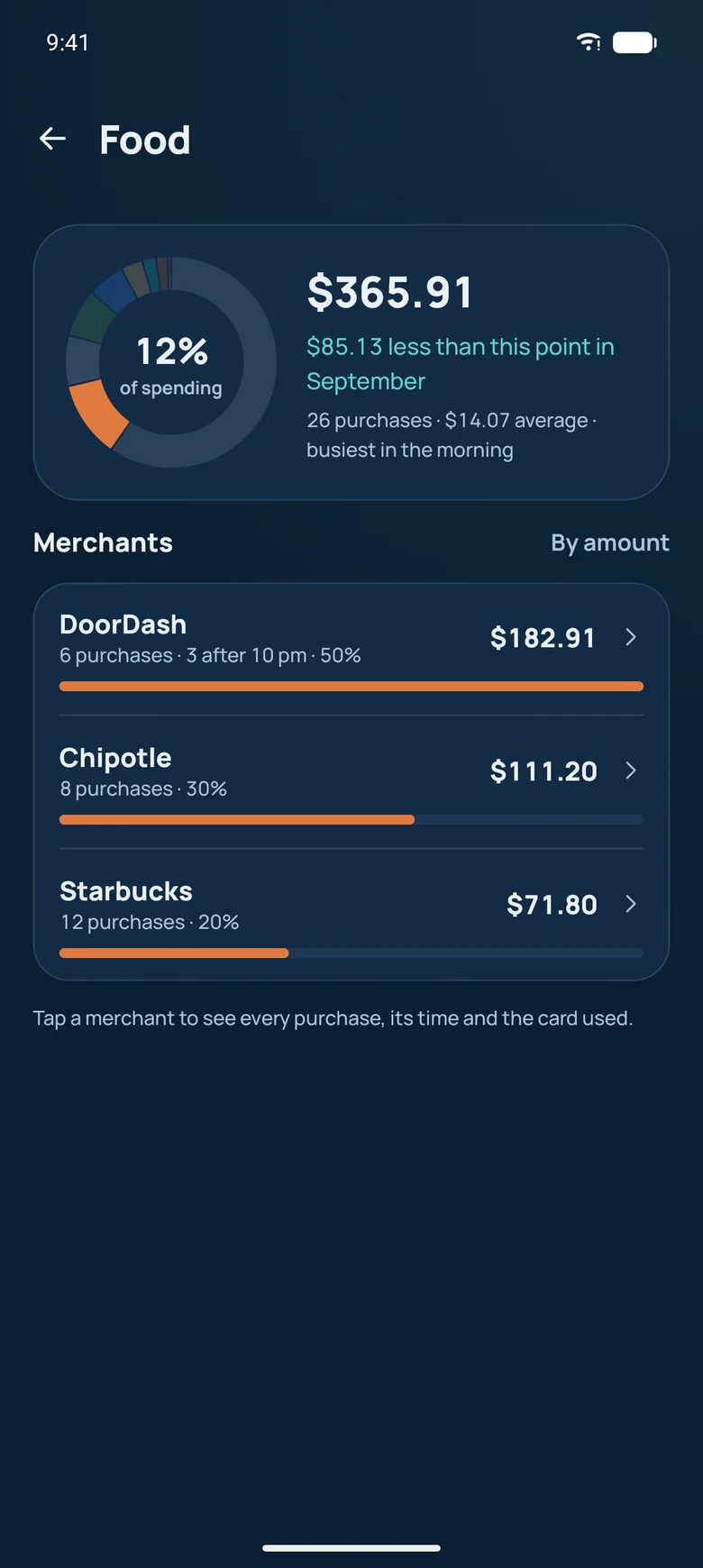
Start at the month, tap a category, then a merchant, then the exact purchase. Compare periods, see your weekly rhythm, and export to CSV, Excel or PDF.

Insights overview with spending so far and a comparison with last month
Food category drill-down with spending by merchant

Every category, every merchant

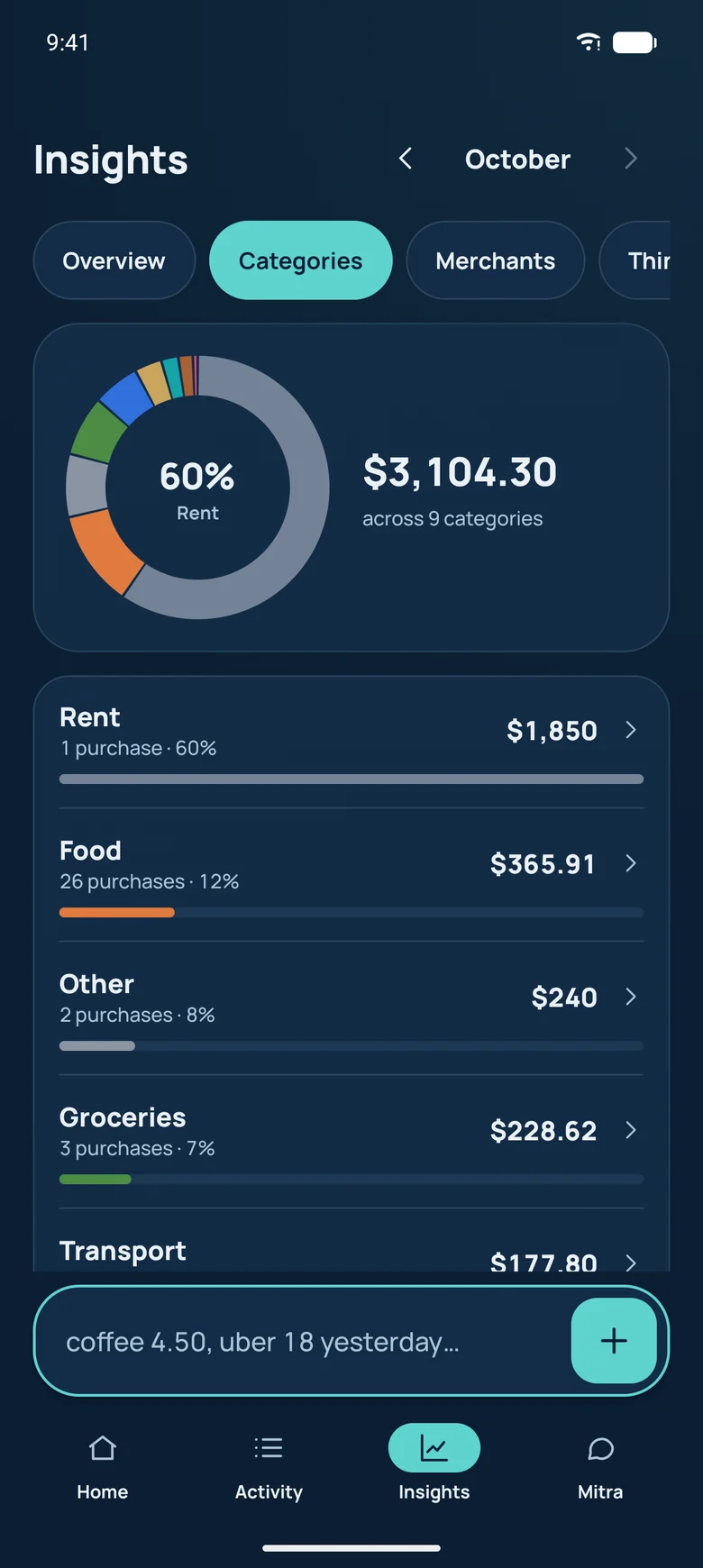
See how each category's share moved this month, which merchants lead it, and the purchases behind every number.

Categories report with a donut chart and category shares

Your month as a calendar

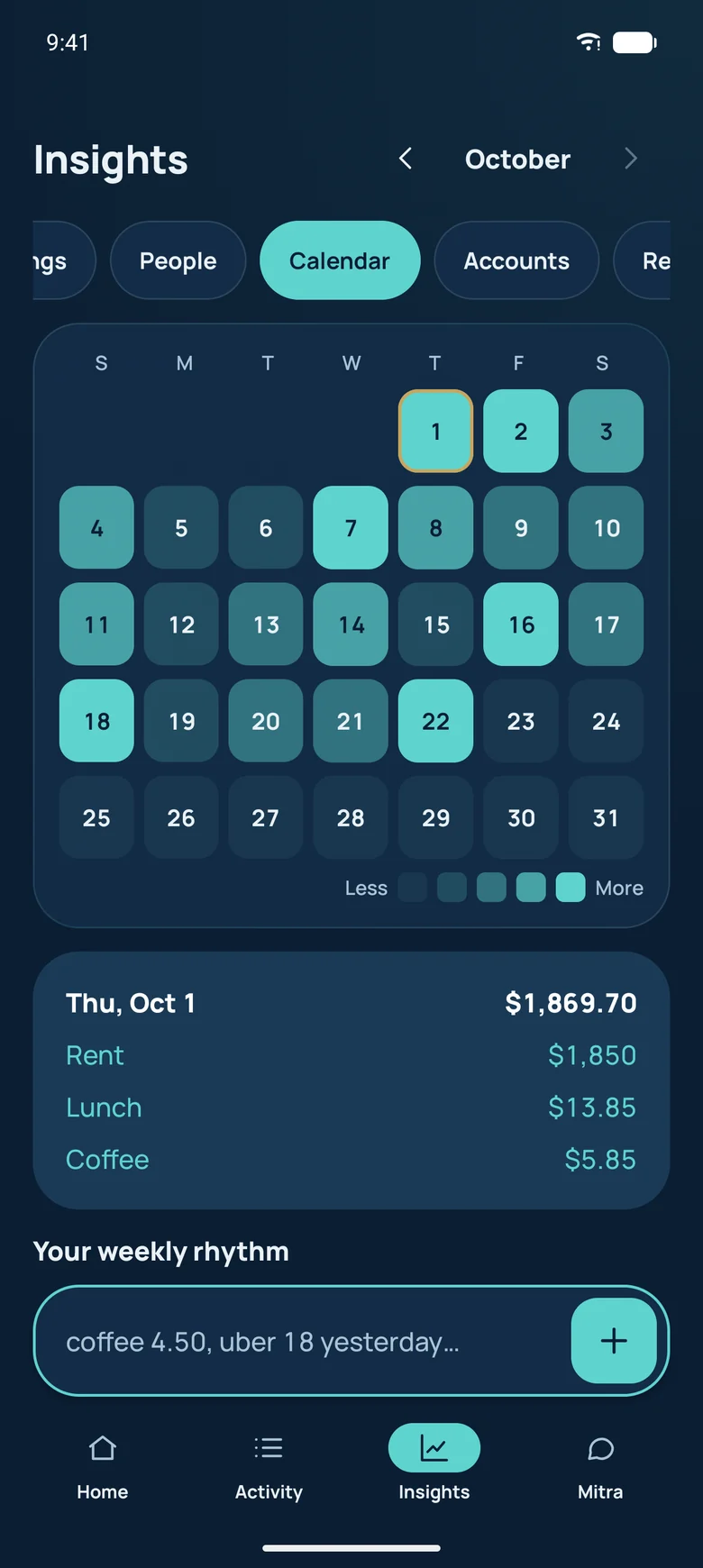
A heat map of your spending days, with the weekly rhythm under it: which days cost the most once rent and subscriptions are set aside.

Calendar heat map of spending by day

Subscriptions and price rises

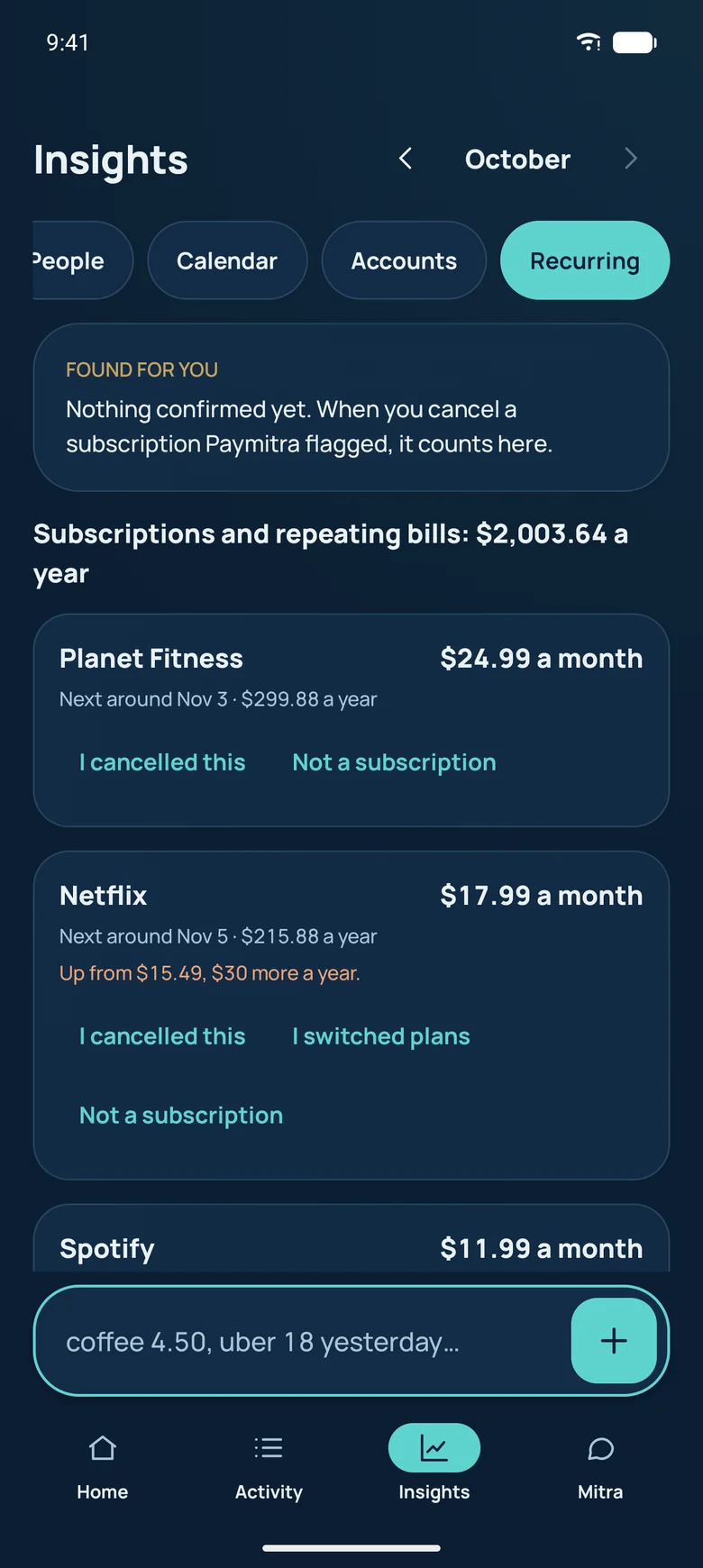
Recurring charges are found from your records, with what each costs in a year. Pro flags a price rise when it happens, and Found for you counts what you cancel.

Recurring charges with a streaming price rise and yearly costs

What you buy, across every shop

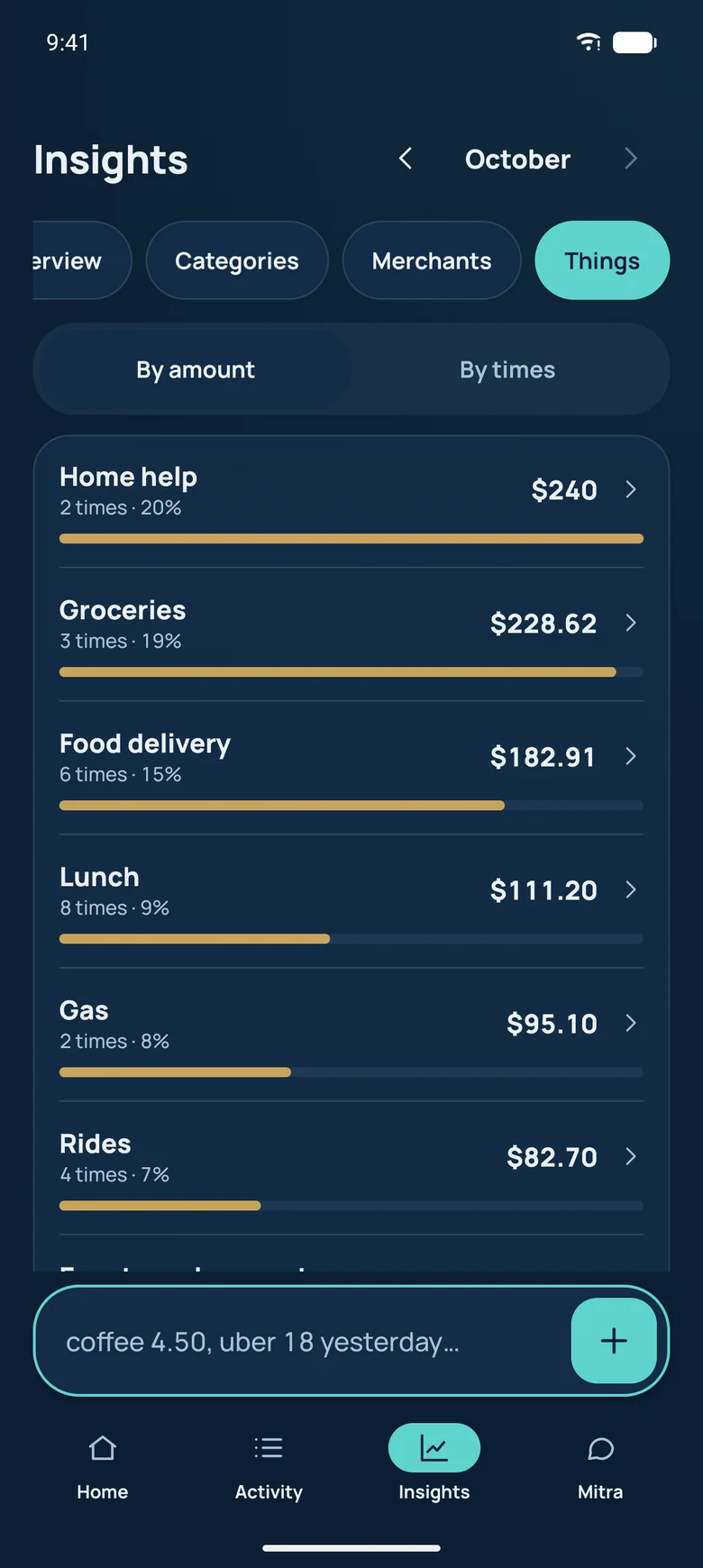
Paymitra knows what each payment was for, like coffee, rides or gas, whichever shop or app it came from, and shows how much each costs you.

Things report showing spending by what was bought

Made for you

Personal insights from your own records, never generic advice.

True facts about you

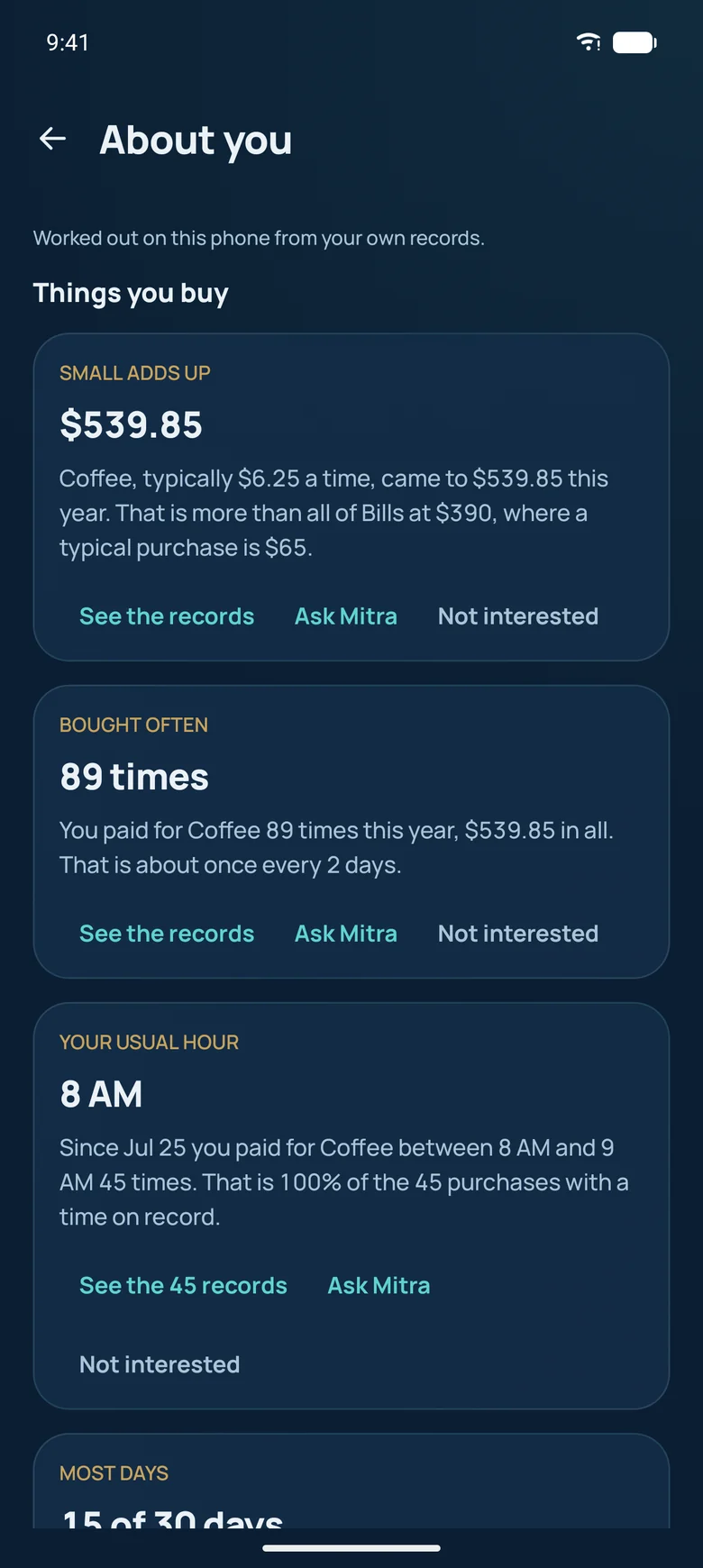
Paymitra works out facts from your own records, right on your phone: how often you buy coffee, your priciest hour, your cheapest week in a while, what costs more than a year ago. The best one becomes Today's take on Home.

  • Only from your own numbers
  • Never guesses why
  • Private things stay private
About you screen listing facts worked out from the person's records
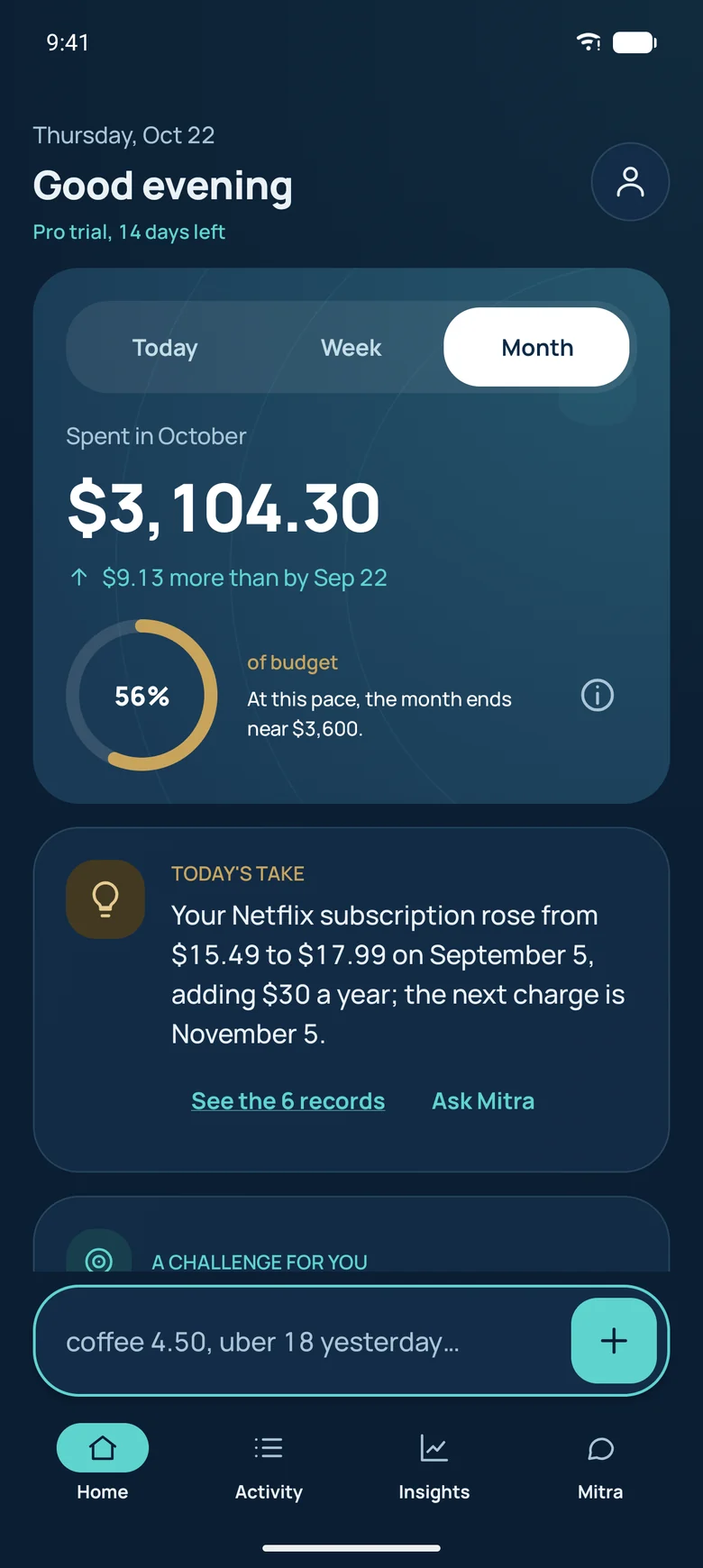
Home with this month's spending, budget pace and Today's take

Money with people

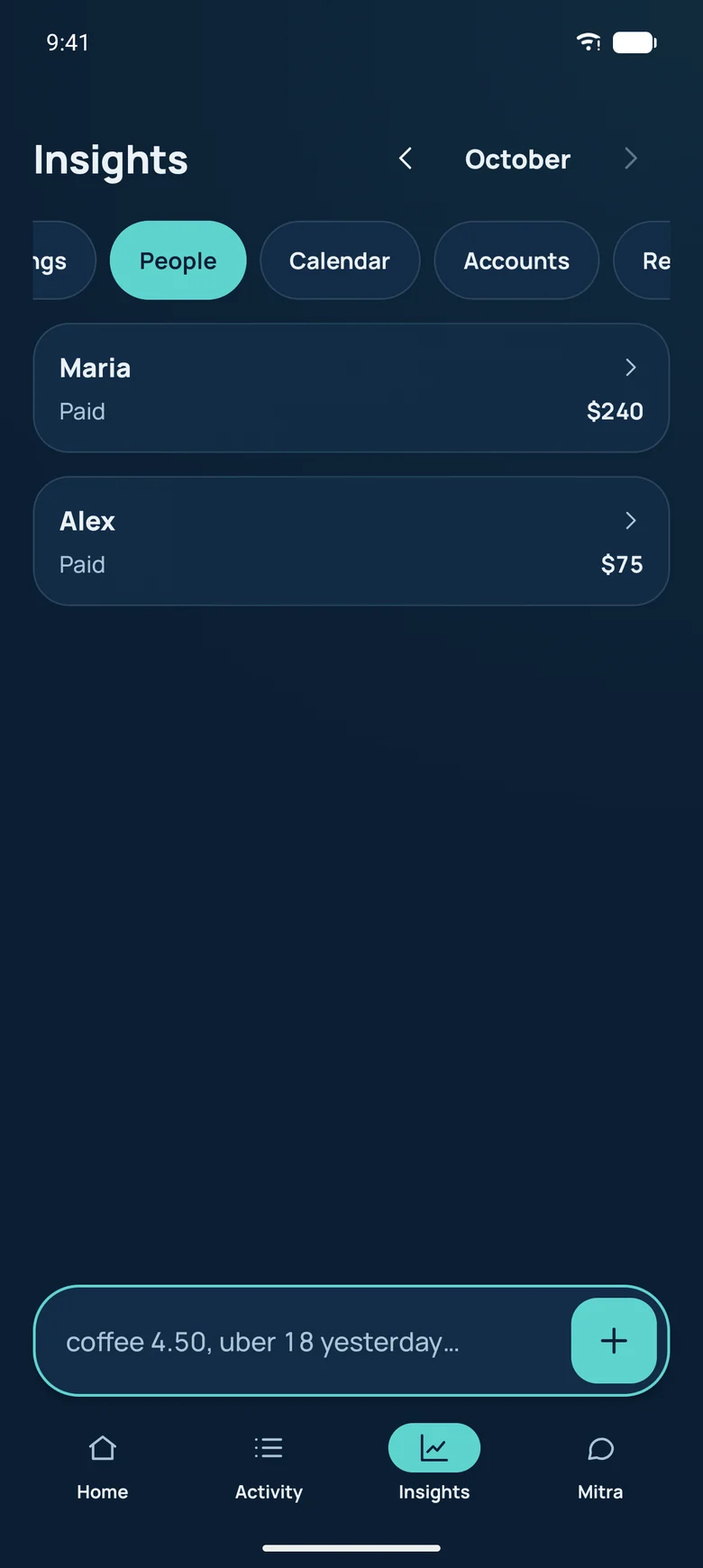
Who you paid, who paid you back, and what is still open, from your own records.

People section showing money lent and paid back

Goals and challenges you can win

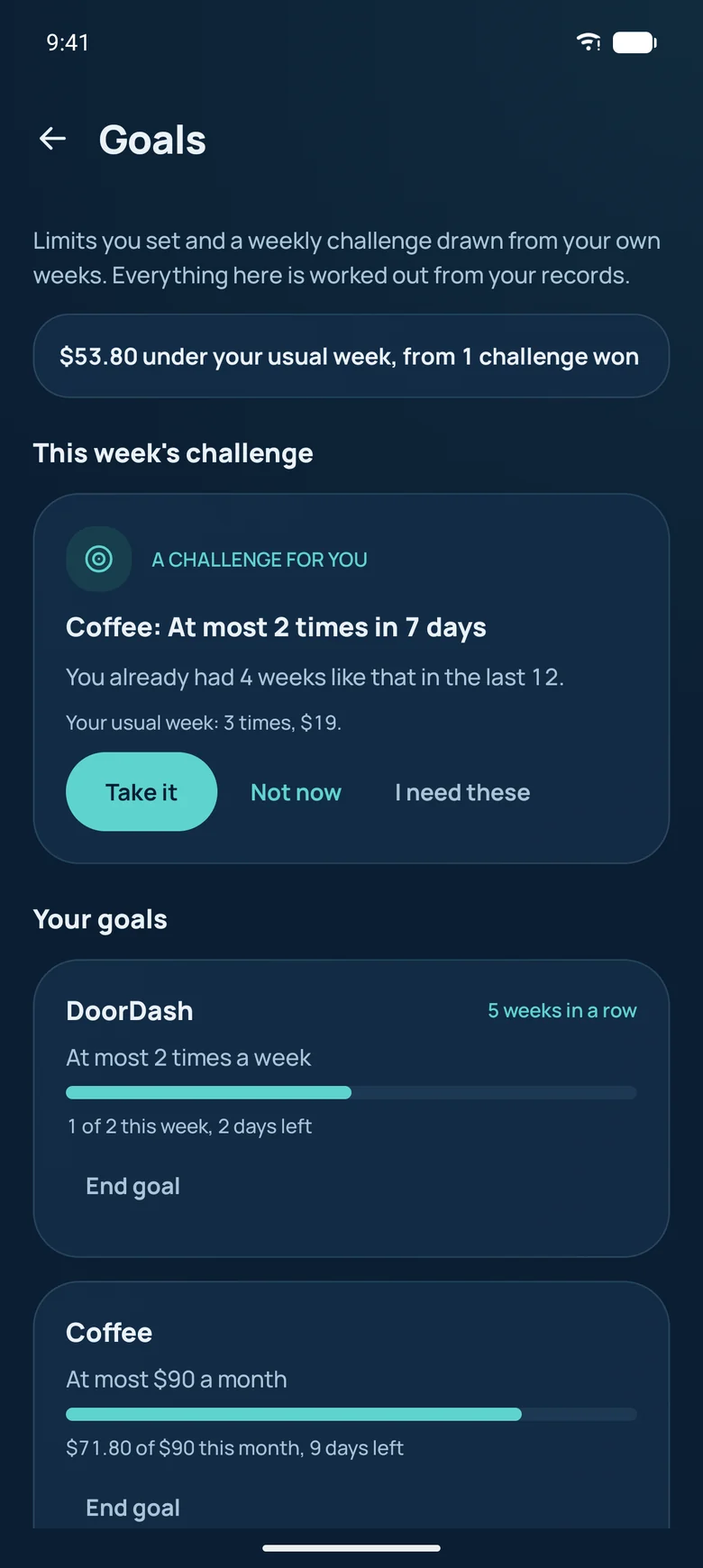
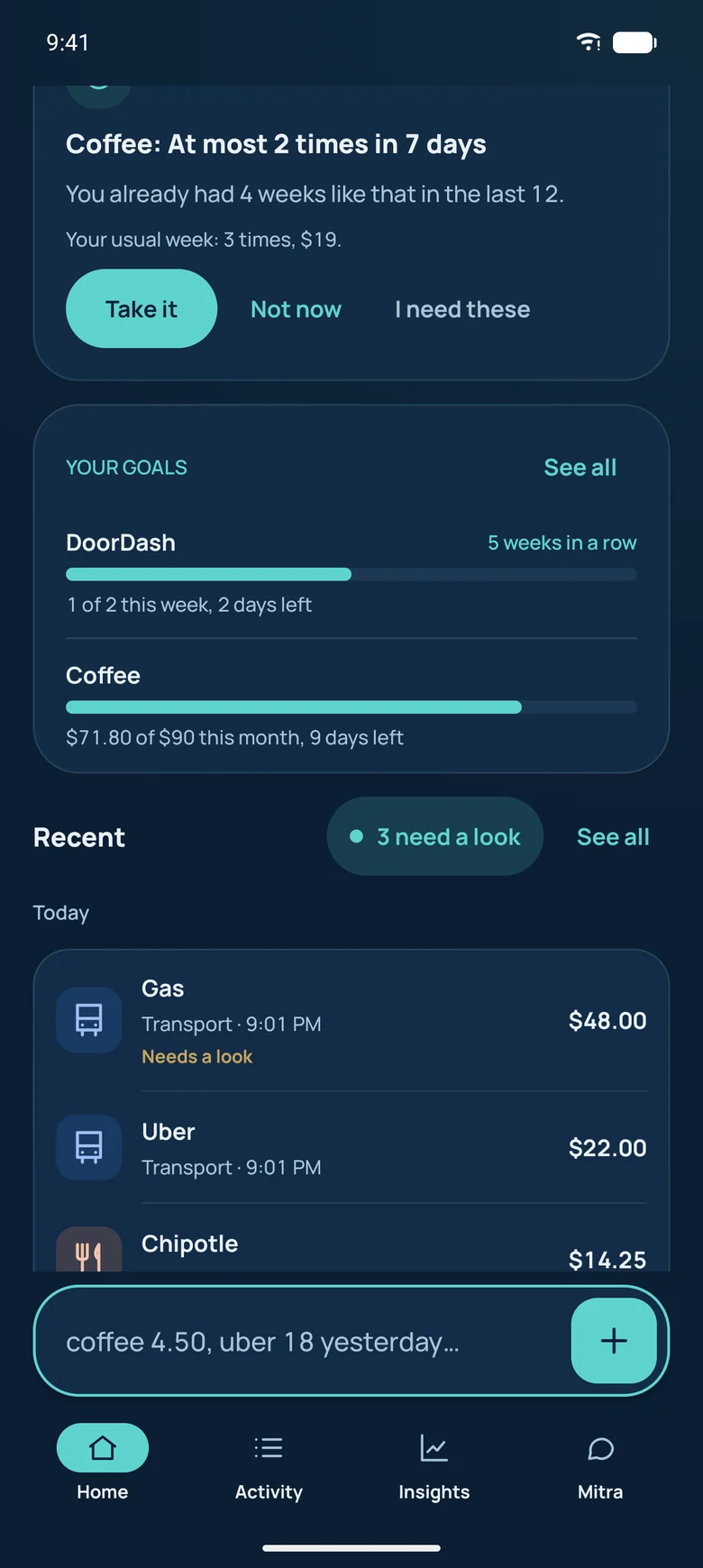
Set a limit or a savings goal in a tap, or just tell Mitra. Each week Paymitra offers a challenge drawn from weeks you already had, so it is one you can win, and never one on something you need.

  • Limits, savings goals and weekly challenges
  • Progress on Home
  • A weekly check-in on how it went
Goals screen with weekly limits, a savings goal and a won challenge
Home offering a weekly challenge beside the goals card

Recaps worth sharing

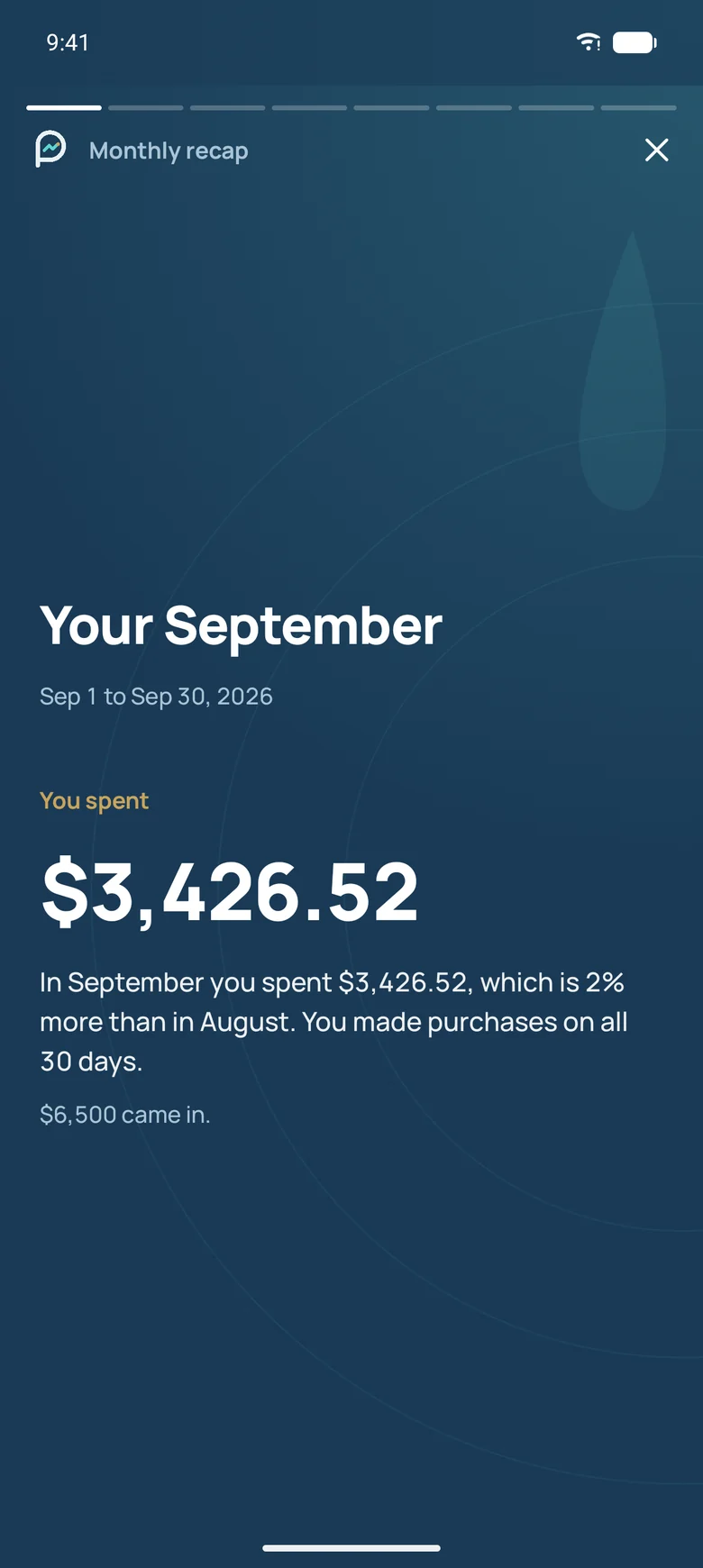
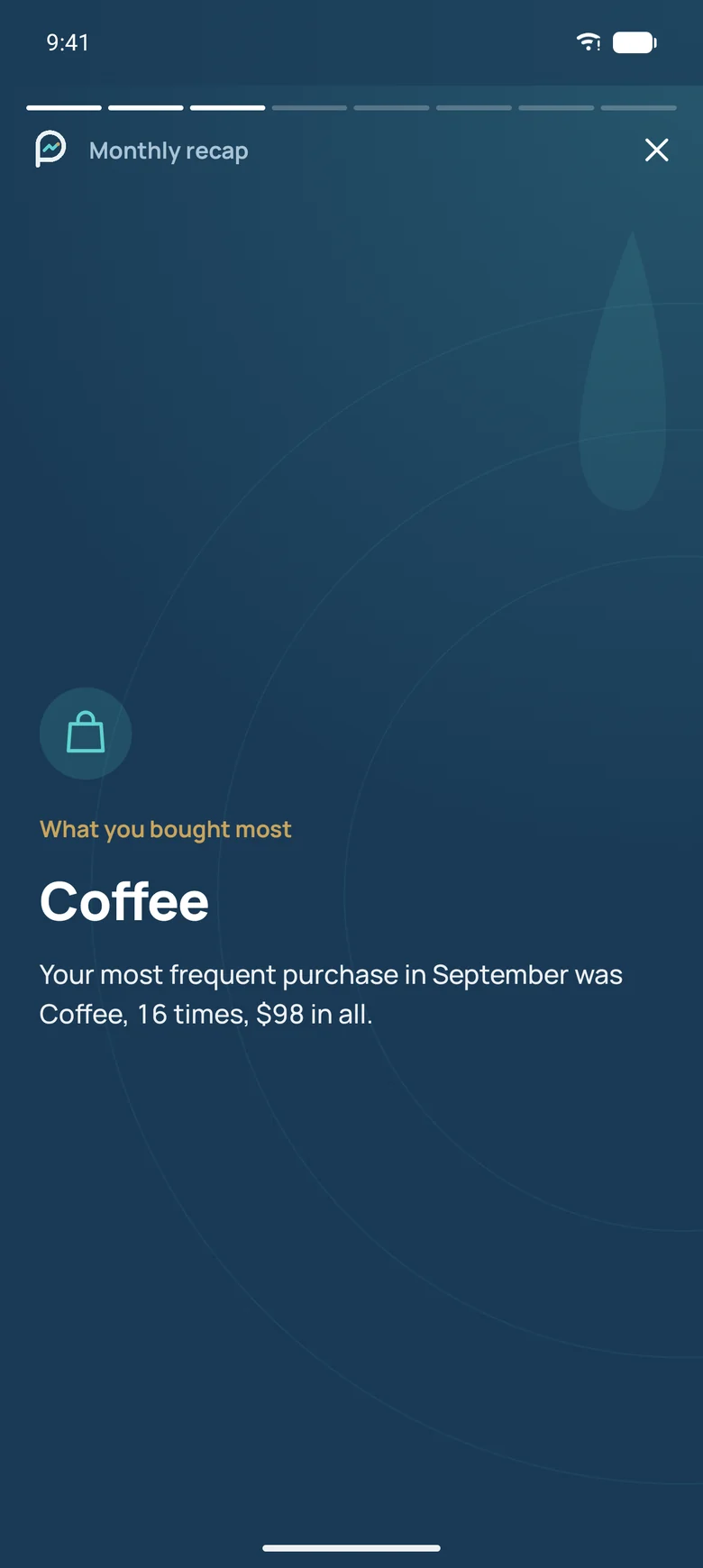
Your month, quarter or year as a short story: where it went, what you bought most, your best day. Share a card that shows no amounts unless you choose.

Recap story cover for last month
A slide from last month's recap story

Private by design

Your records stay on your phone.

Locked, encrypted, yours

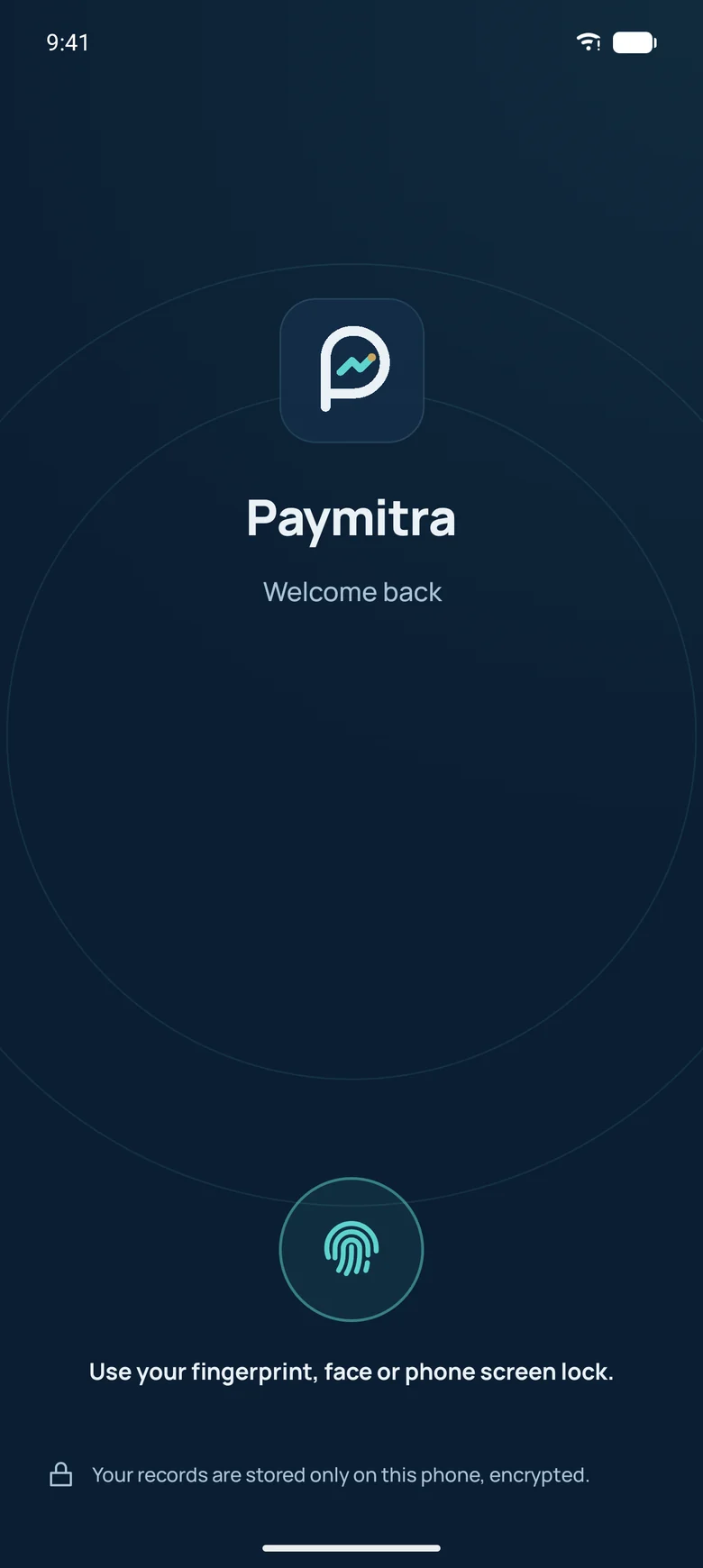
Records are stored only on your phone, encrypted, behind your fingerprint or PIN. No bank login, no ads, no data selling. Export or back up everything whenever you like.

  • App lock with fingerprint or PIN
  • Encrypted storage
  • CSV export on every plan
Paymitra lock screen asking to unlock with fingerprint

Be one of the first.

We're opening Paymitra to a small group of early testers before it reaches Google Play.