Logging every purchase is a chore.
One line does it: coffee 4.50, uber 18 yesterday. Or nothing at all when your bank alert comes in.
Coming soon to Google Play
The AI money companion for Android. Type a payment like you'd text a friend, or let Paymitra catch your bank alerts. It sorts everything, shows where your money goes, and points out what's worth changing.
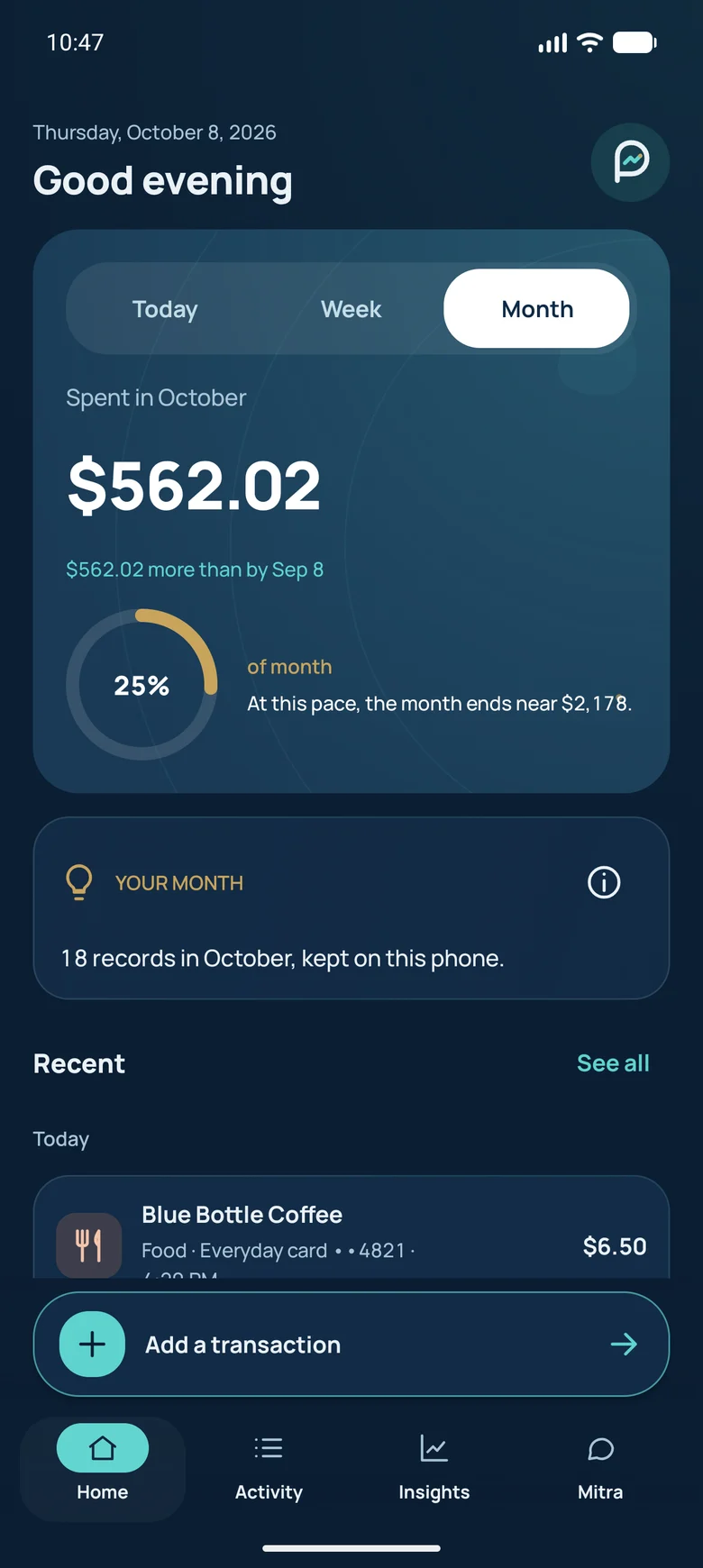
Screens from the Android app. Sample data.
Soft layers, thoughtful motion and a clear view of your money. Here's the app taking shape.
Screens from the Android app. Sample data.
A clear total, your monthly pace and the payments behind it.
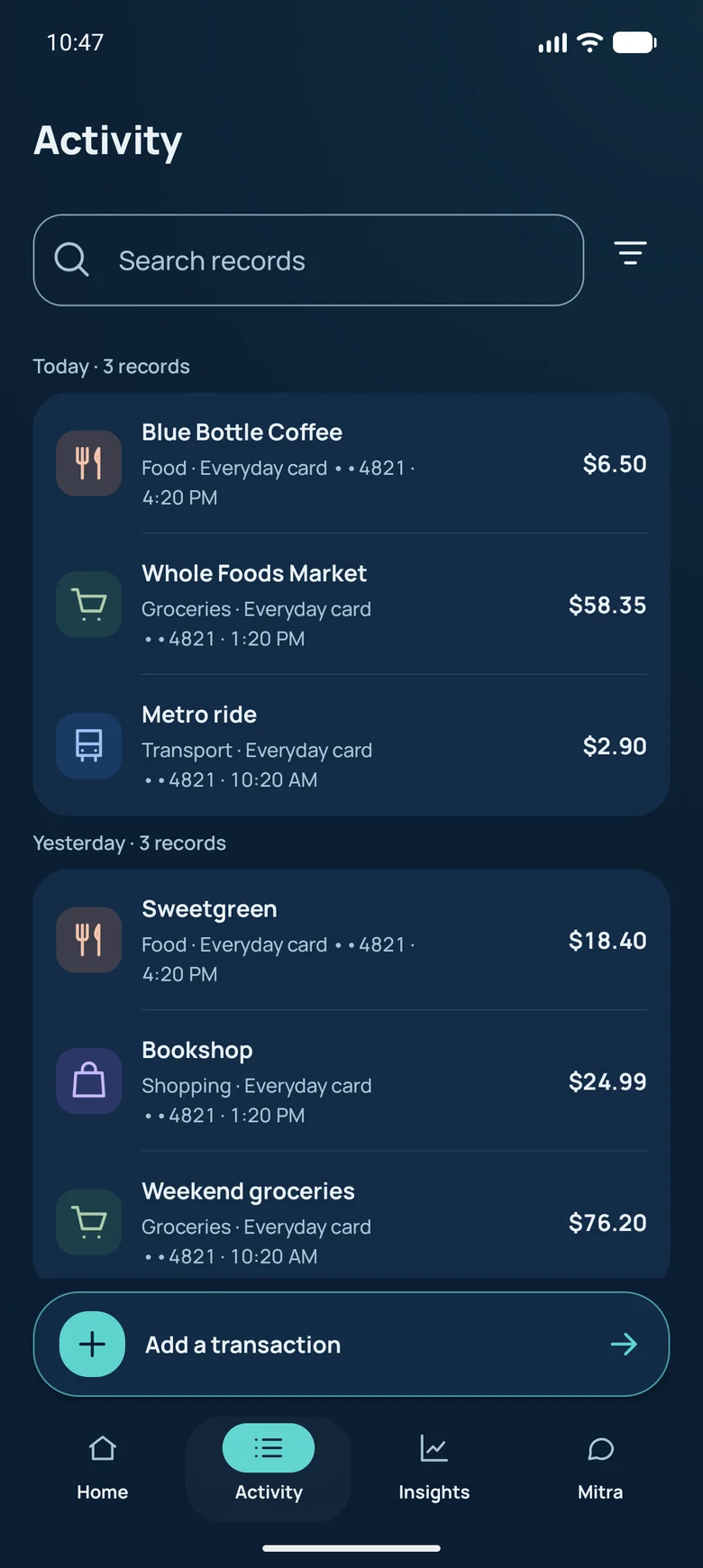
Search, filter and revisit any payment in a few taps.
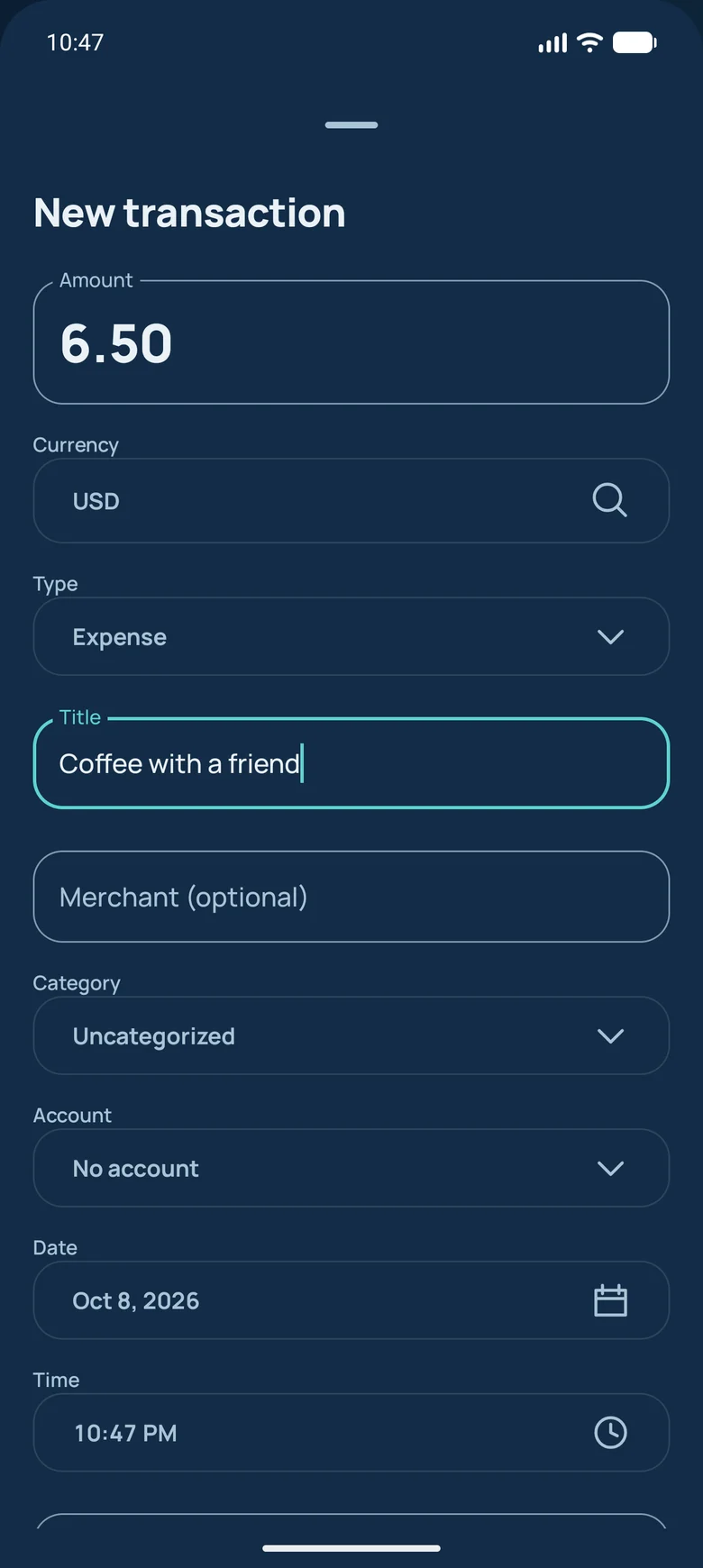
Add a payment by hand, even when you're offline.
One line does it: coffee 4.50, uber 18 yesterday. Or nothing at all when your bank alert comes in.
Paymitra never asks for it. Your records are stored only on your phone, encrypted.
Every tip comes from your own numbers, with the purchases behind it.
Design previews with sample data. Features are in development.
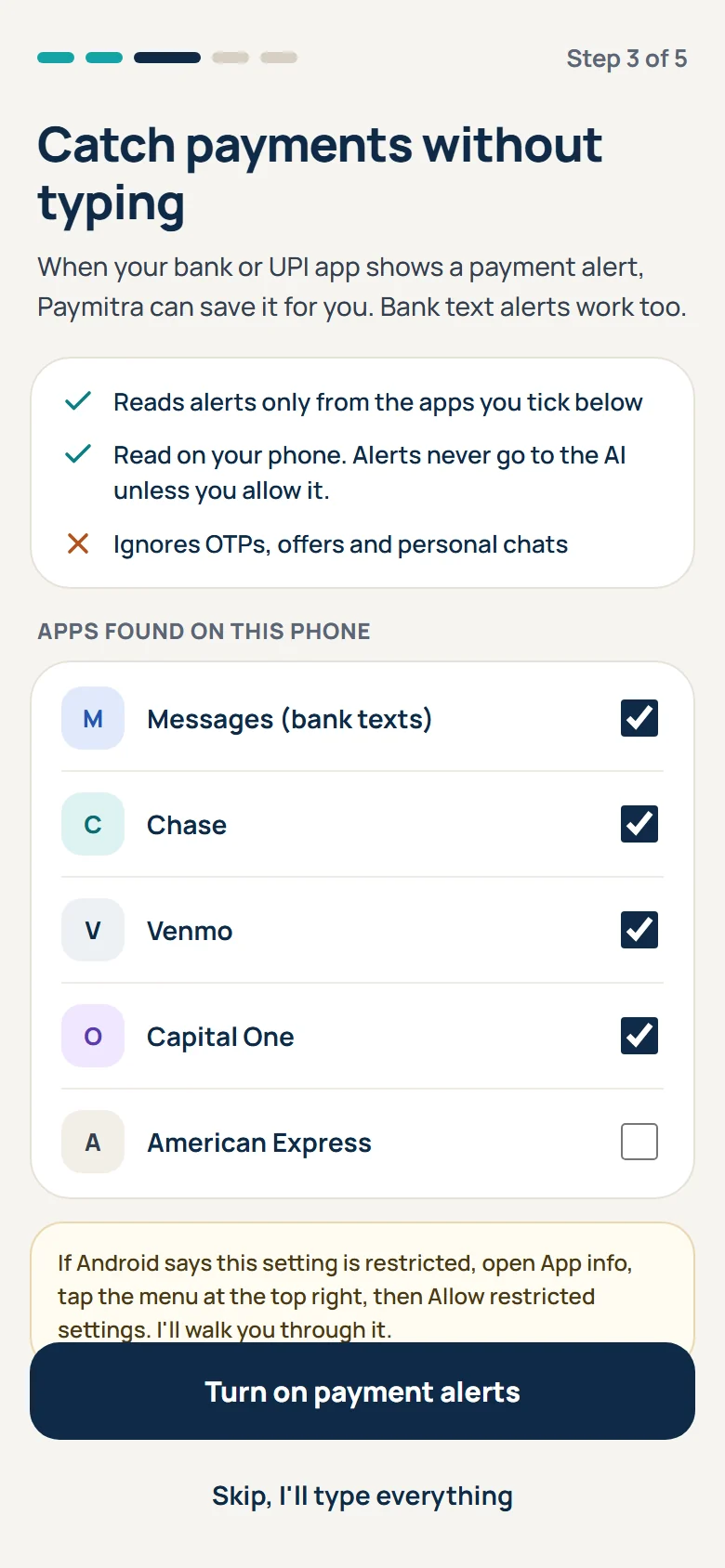
Write a few payments in one line, in your own words. Turn on payment alerts and card or UPI payments save themselves.
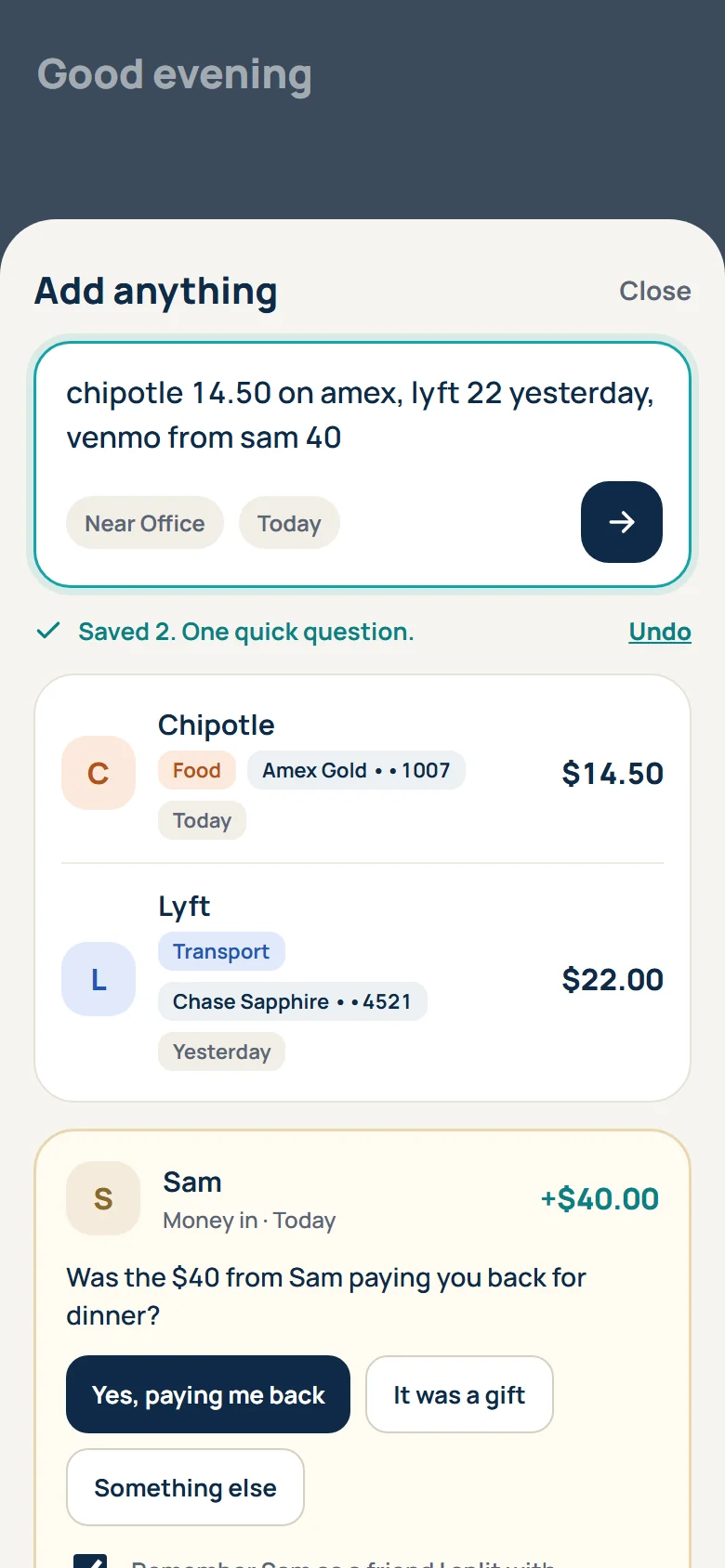
Merchant, category, card and date are filled in for you. Anything uncertain waits in a short list with one friendly question.
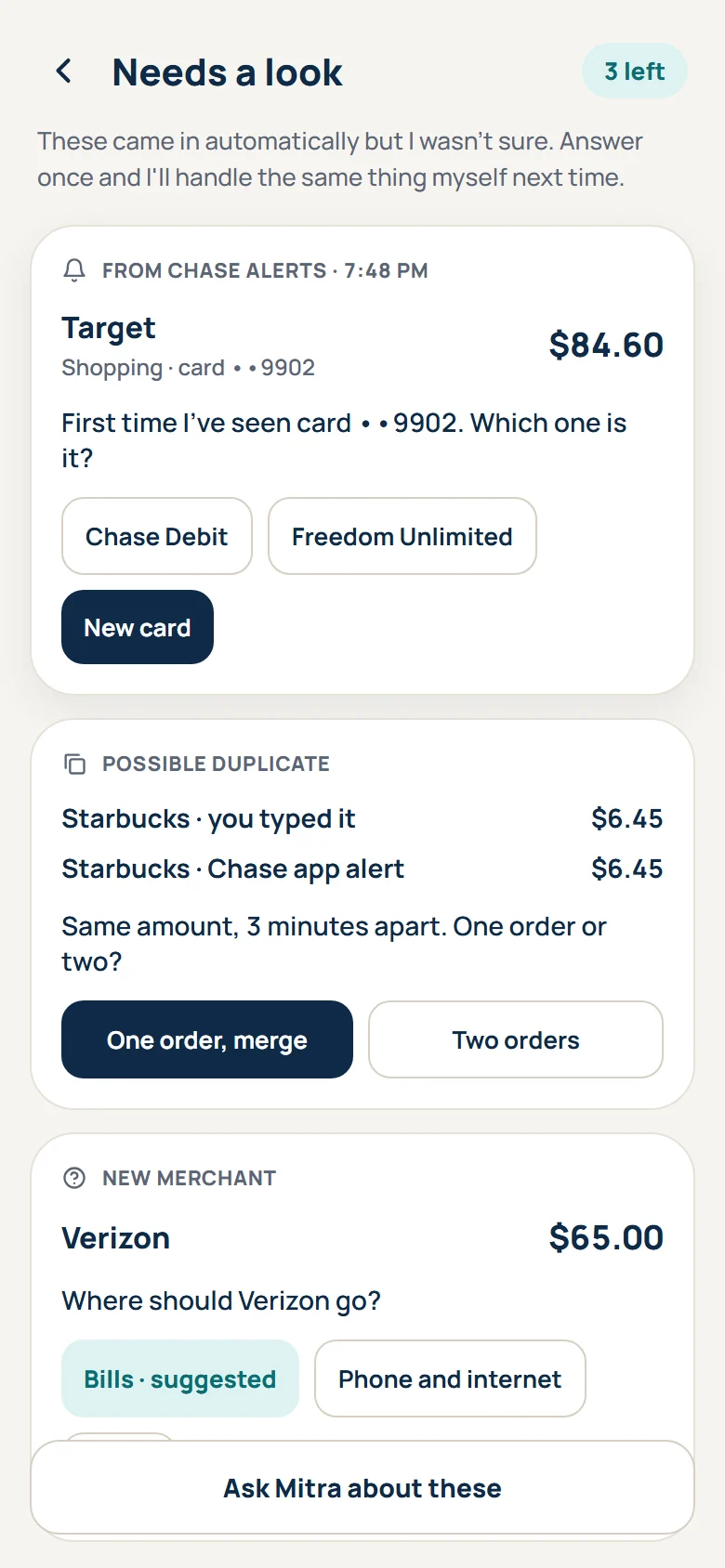
Insights you would not spot yourself, from late-night delivery habits to a subscription that quietly went up.
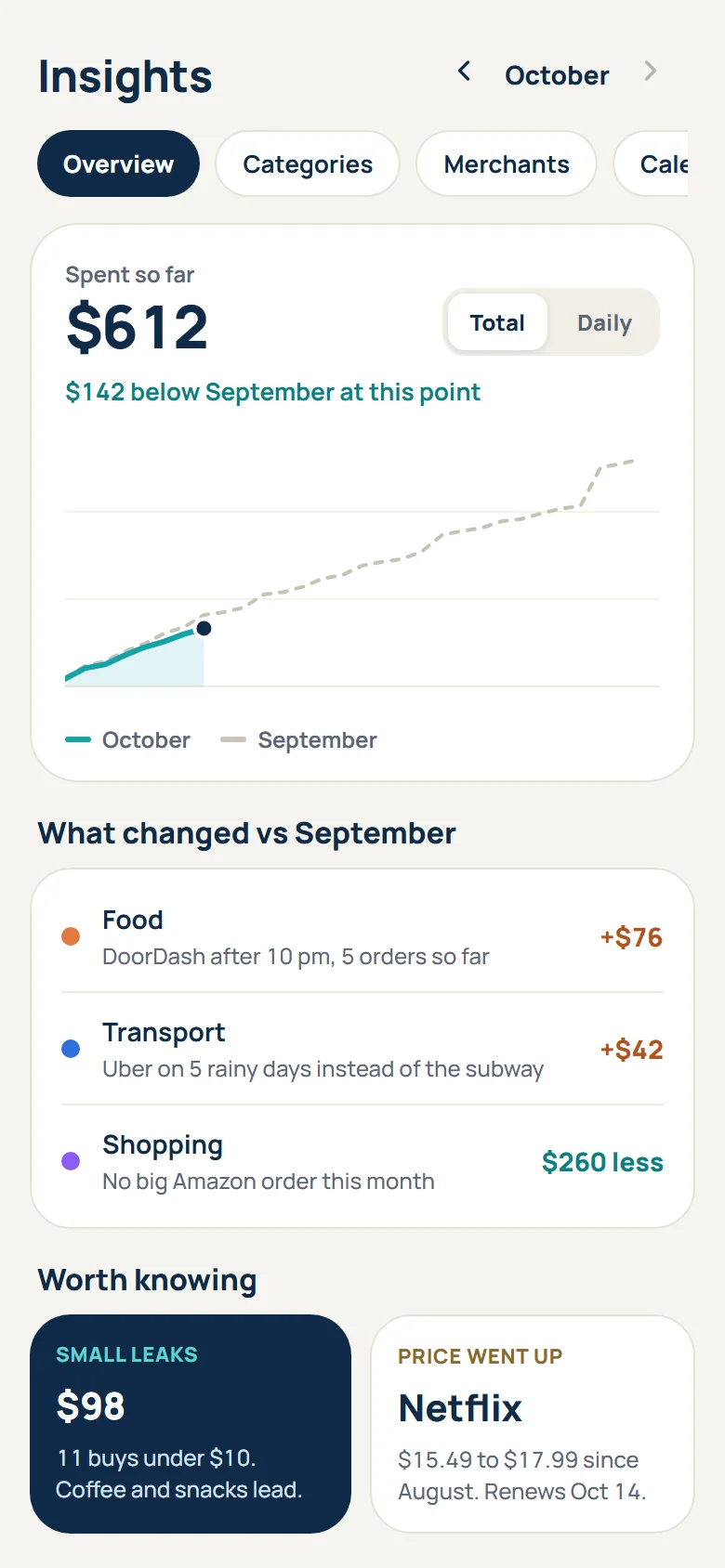
Design previews with sample data. Features are in development.
Several payments in one line, typos and shorthand included. In India, Hinglish works too: chai 20, petrol 500 kal.
With your permission, Paymitra reads payment notifications from the bank, card and payment apps you choose, including bank text alerts. One-time passwords, offers and personal messages are ignored.
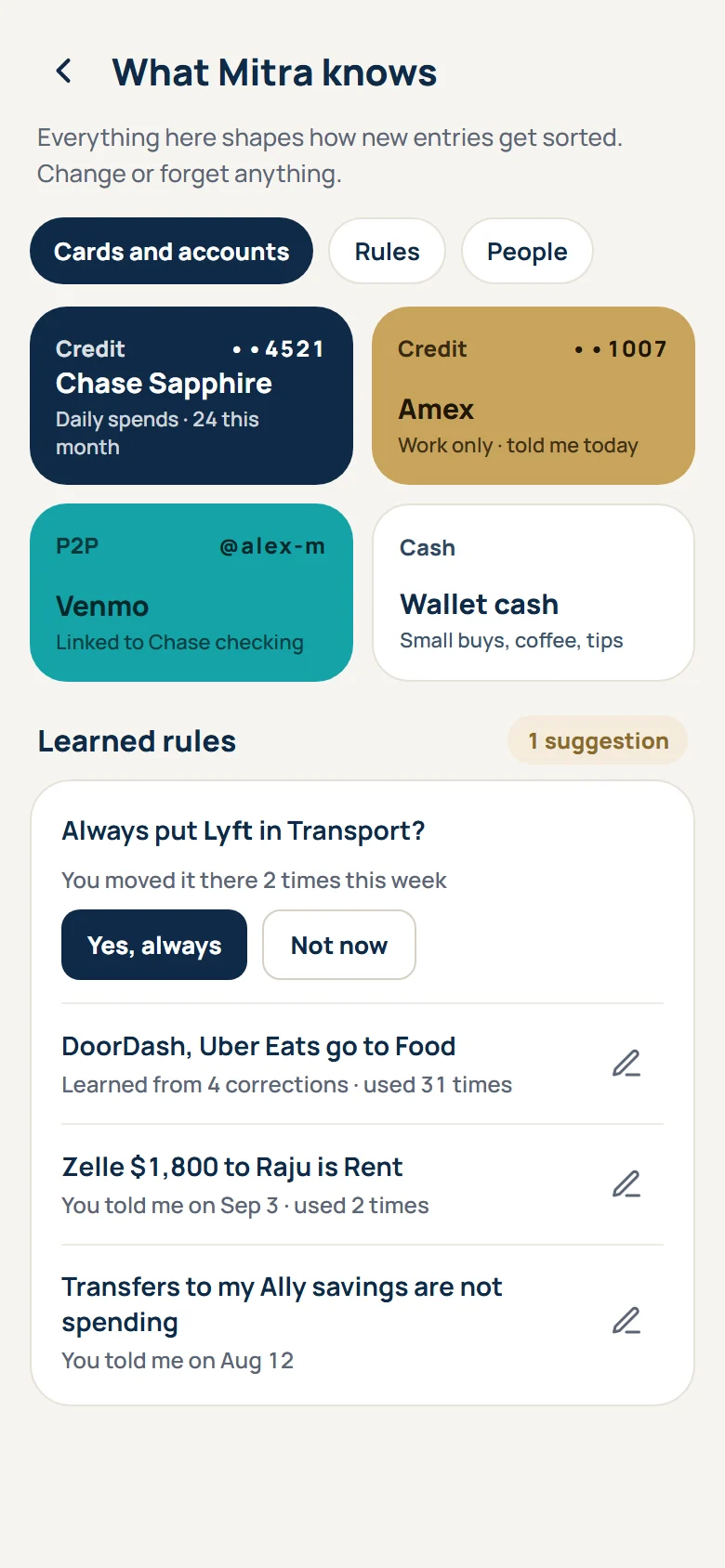
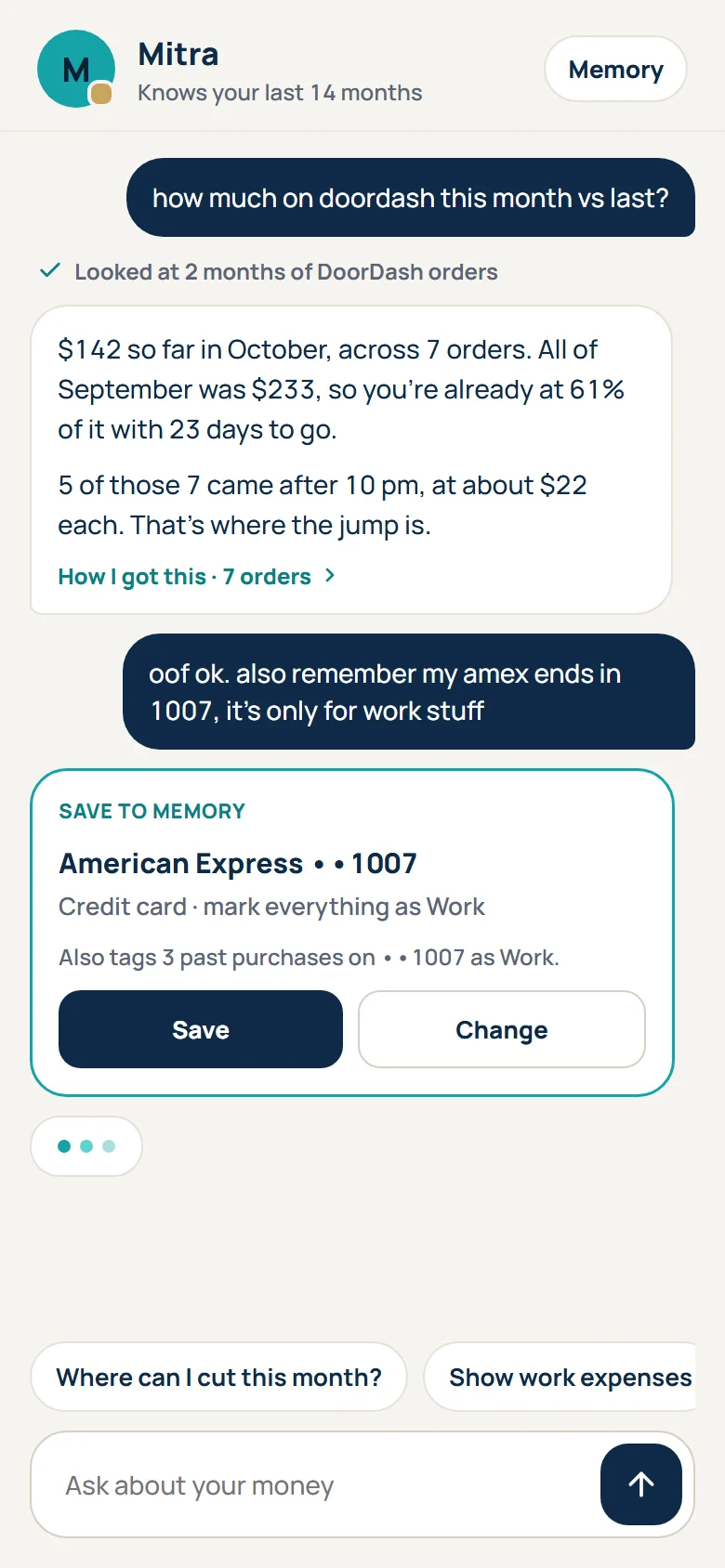
Tell it once that card ending 1007 is your Amex for work, or that Zelle to Raju is rent. It remembers, links future payments, and shows you everything it knows. Change or forget anything.
Mitra answers from your actual records with exact numbers, and shows the purchases behind every answer. On Pro it can fix categories, merge duplicates and set up rules for you, after you confirm.
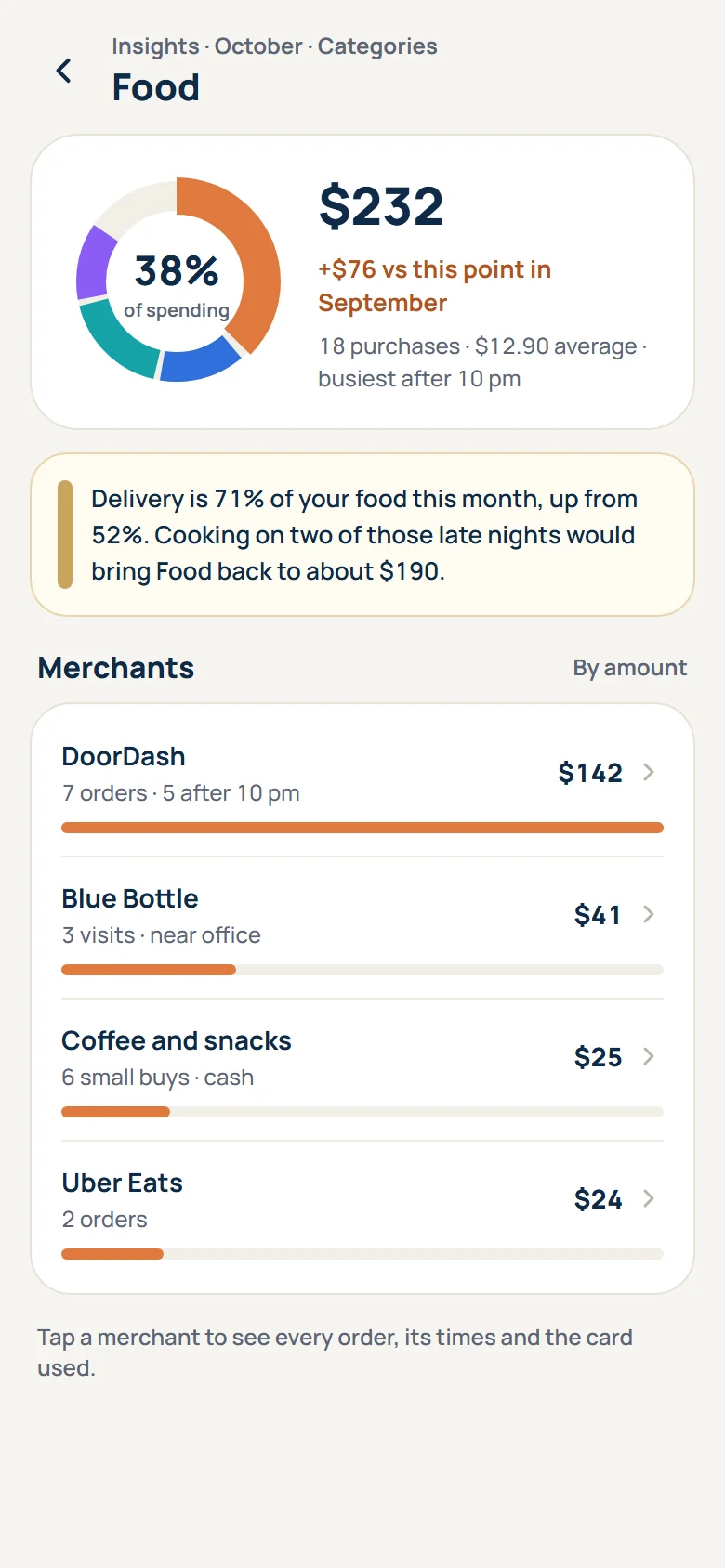
Start at the month, tap a category, then a merchant, then the exact purchase. Compare any two periods, see your weekly rhythm, and export to CSV, Excel or PDF.
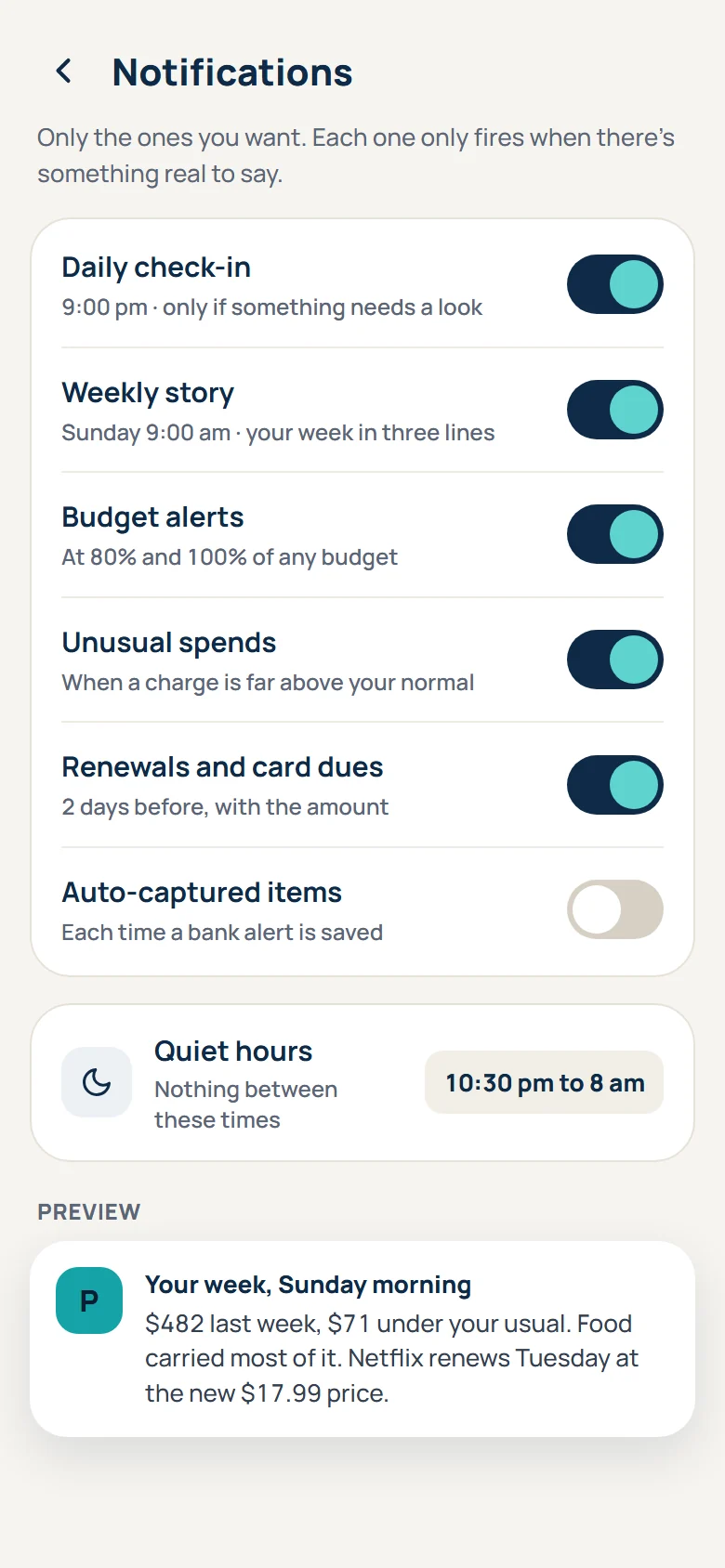
A daily check-in, a Sunday story, budget alerts, renewals before they hit, quiet hours. Each one only shows up when there's something real to say.
Pro is $4.17 a month on the yearly plan. Paymitra looks for the things that quietly cost more: forgotten subscriptions, price rises, small daily leaks.
Example
A streaming plan you forgot: $15.99 a month is $192 a year.
Example
A price rise you missed: $2.50 more a month is $30 a year.
Example
Late-night delivery, 2 fewer orders a week: about $180 a month.
Pro for a year: $49.99.
Found for you. Paymitra keeps an honest running tally of money it helped you keep, like subscriptions you cancelled after it flagged them. It only counts what you confirm.
Already careful with money? Then Paymitra shows you that, month after month, with a clear record of where you spent less than usual.
Examples are illustrations. What you save depends on what you change.
Typical of each category as of October 2026. Check each app for its current features and prices.
Every new account gets 14 days of Pro, no card needed.
For getting started.
$0
For everyday tracking.
$29.99a year
$2.50/mo
Most popular
Everything Paymitra can do.
$49.99a year
$4.17/moOnly 18¢ more than Plus monthly
Founding members at launch: Pro yearly for $29.99 for the first year.
US prices exclude sales tax.
Paymitra is coming soon to Google Play, starting in the US, then India. Join the early testers to try it first.
No. Paymitra never asks for bank logins. You type payments, or let it read payment alerts from apps you choose.
With your permission, Paymitra reads payment notifications from the bank, card and payment apps you pick. It ignores one-time passwords, offers and personal messages. You can turn it off any time.
Your records are stored only on your phone, encrypted, behind an app lock. Our server keeps your account, plan and usage counts, never your records.
Only what it needs for that moment: the note you typed, or your question and the specific records needed to answer it. Paymitra processes it and keeps none of it, and our AI providers are set not to collect it.
Yes. Rupees, UPI, Indian bank alerts and Hinglish are supported. India launch follows the US.
Not yet. Paymitra is built for Android first.
Through Google Play. In the US: cards, PayPal and Play balance. In India: UPI Autopay, cards, net banking and Play balance.
Yes, in Google Play, with one tap. You keep your plan until the end of the period you paid for, and your records stay with you.
No. Paymitra is paid for by subscriptions only. No ads, no data selling, no loan offers.
In the app: Settings, Account, Delete my account. Or see the delete account page.
We're opening Paymitra to a small group of early testers before it reaches Google Play.